8
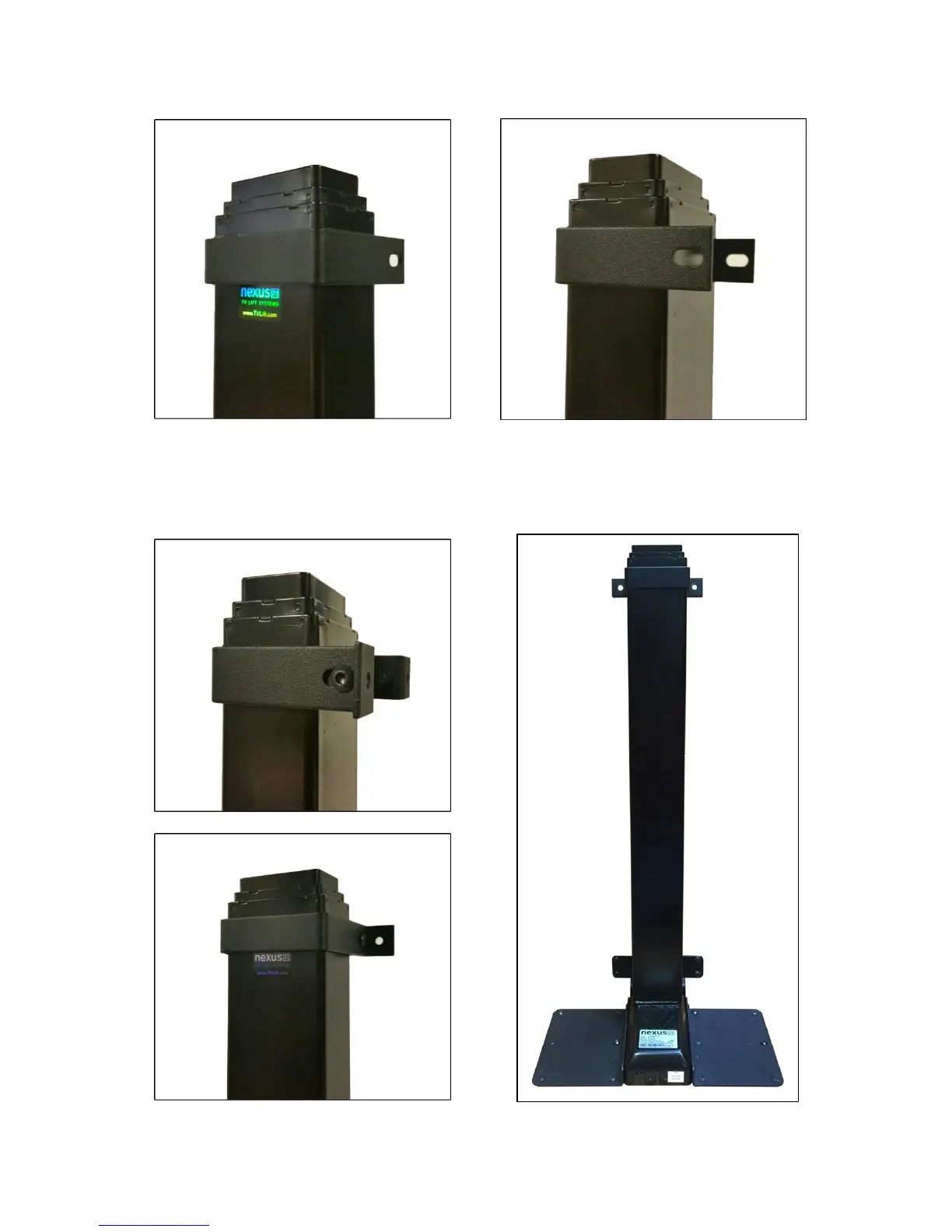
Step 4a: Attach the Upper Support Bracket. Slide the Upper Support Bracket around the outer profile. Make
sure the Upper Support Bracket sits just above the Nexus 21 label for optimal support.
Step 4b: Attaching the Upper Support Bracket Base (Part #5). Using (2) 6mm x 12mm Button Head Machine
Screws (BHMS) attach the Upper Support Bracket Base to the Upper Support Bracket. Make sure to hold the
Upper Support Bracket Base firmly against lift column while tightening the screws, to ensure there is no lateral
movement.


 To Next Page