EasyManua.ls Logo

Nexus 21 L-50s - Page 11

Nexus 21 L-50s
24 pages
Print Icon
To Next Page IconTo Next Page
To Previous Page IconTo Previous Page
Loading...
11
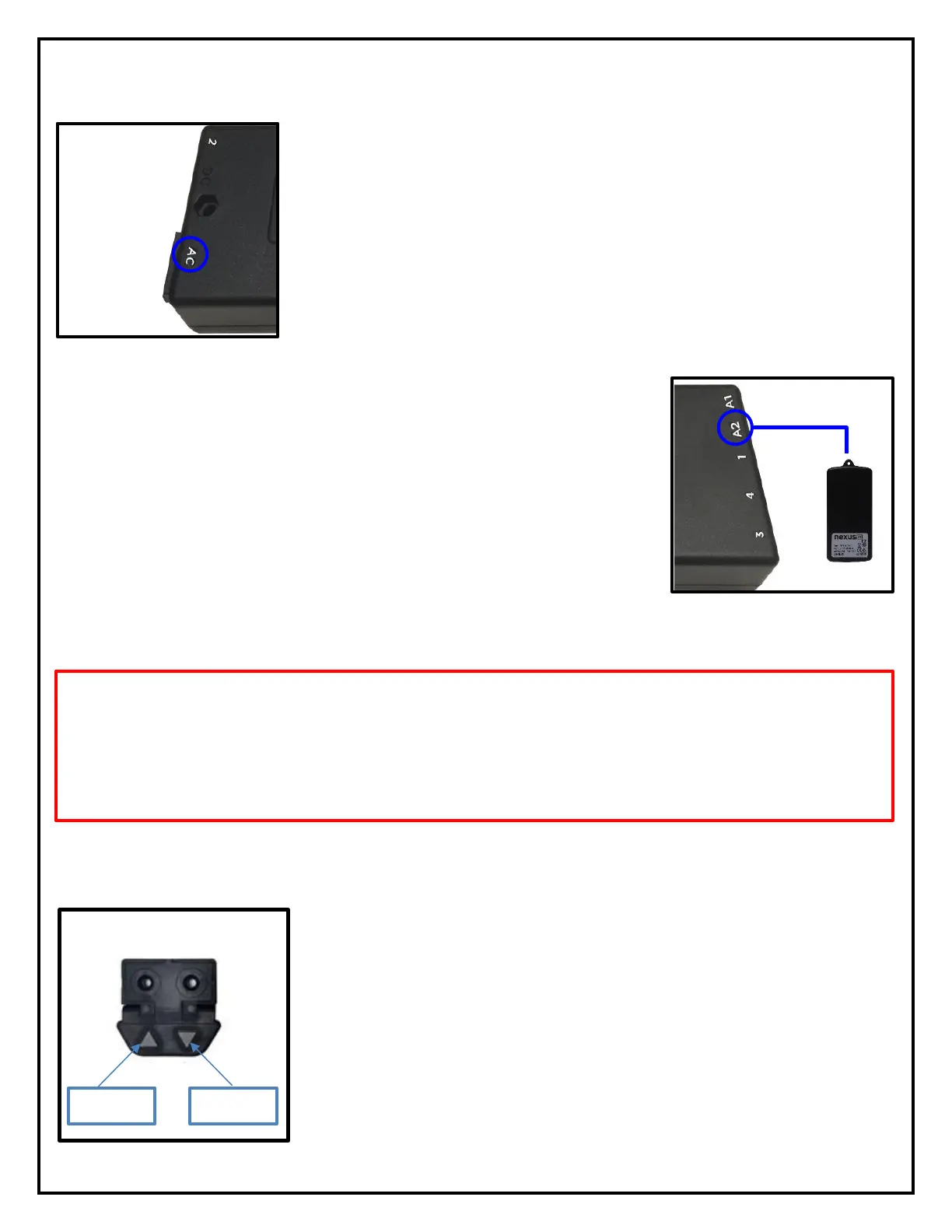
Step 11: Connect the RF Receiver to Port A2 on the Control Box, if you are
using RF Controls. Leave Port A2 blank if you are using IR Controls.
Step 10: Connect the Power Cord to Port AC on the Control Box then
connect the cord to a power receptacle.
Step 12: Using the Wired Backup Switch or IR Receiver, press the DOWN button once, then press and hold
it again for 5 seconds to “Initialize” the Lift System.
Note: You will hear or see the lift jog or move up and down very slightly. This is the “reset/calibration”
feature of the lift system and must be done to ensure proper function.
Step 13: Extend the Lift System by pressing the UP button on the Wired
Backup Switch.
UP
DOWN