11
ArtNo.270-0005 Proplus
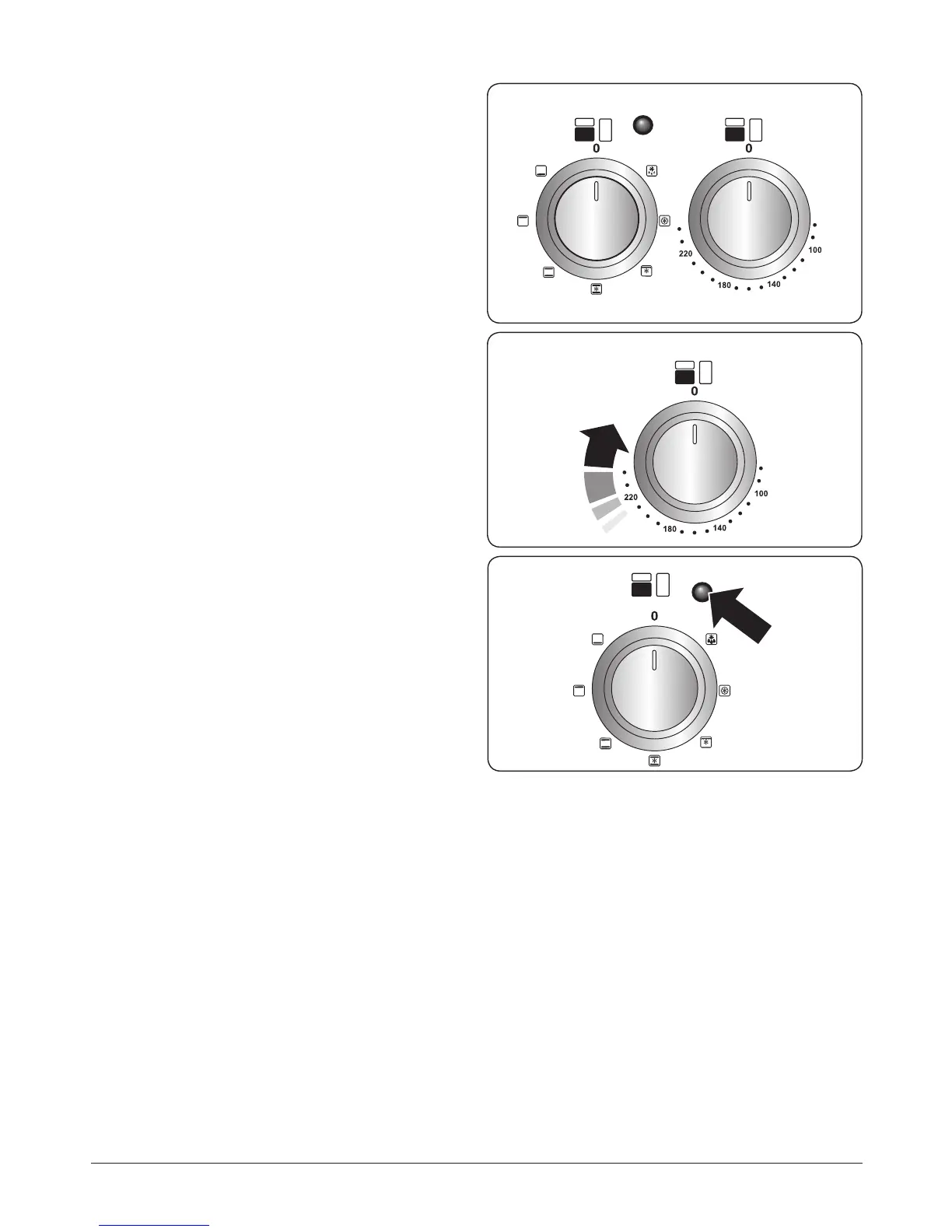
electric oven control
Function control Temperature control
ArtNo.270-0006 Proplus
oven control light
Fig. 2.18
Fig. 2.19
Fig. 2.20
Operating the Ovens
Operating the Multifunction Oven
The multifunction oven has two controls: a function selector
and a temperature setting knob (Fig. 2.18).
Turn the function selector control to a cooking function. Turn
the oven temperature knob to the temperature required (Fig.
2.18).
The oven heating light will glow until the oven has reached
the temperature you selected (Fig. 2.20). It will then cycle on
and o during cooking as the oven maintains the selected
temperature.
Operating the Fan Oven
Turn the oven knob to the desired temperature (Fig. 2.19).
The oven indicator light will glow until the oven has reached
the temperature selected (Fig. 2.20). It will then cycle on and
o during cooking.


 To Next Page