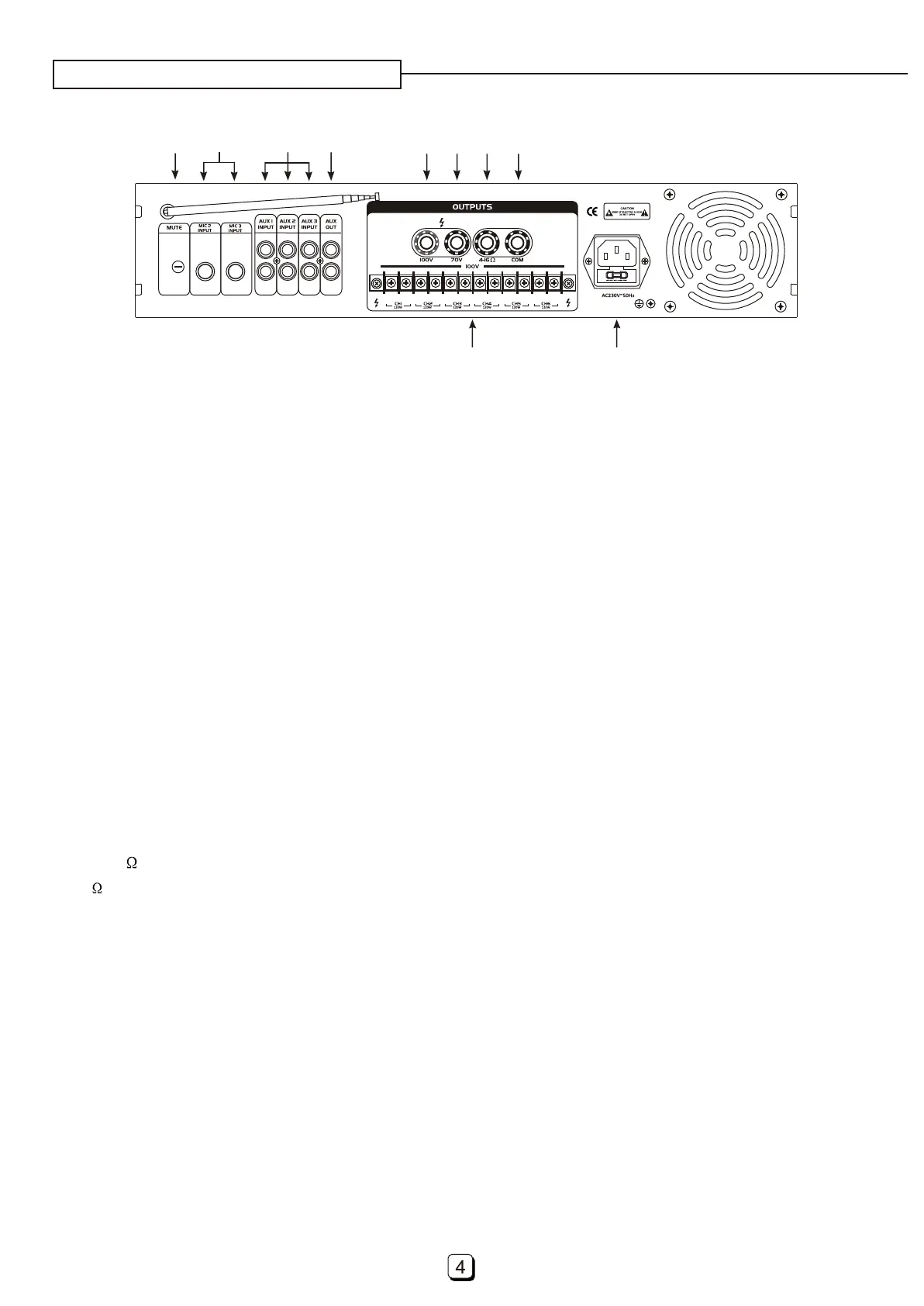
24. Zone Output
23. Com Output Socket
Common pole for PA or passive connection.
25. Power Input Connector With Fuse
Connect the power input connector to your AC power outlet( with
a suitable power cord. Do not bend, twist, pull or heat the power cord. Do not place heavy objects,
including this amplifier, on top of the power cord. A damaged power cord may cause fire or electrical
shock.
with the voltage AC230V/50Hz only)
A terminal strip provides six groups of zone output, and with maximum 100V voltage.
19. Aux Out
Aux output recording devices or mixing amplifiers.provides line-level signal to other device, such as:
20. 100V Output
100V output binding post provides power output to your PA-speakers with maximum voltage 100V.
22. 4-16 Output
4-16 output binding post for connecting your passive speaker-system.
21. 70V Output
70V output binding post provides power output to your PA-speakers with maximum voltage 70V.
18. Aux1, Aux2 And Aux3 Inputs
These inputs (with RCA sockets) accept line-level sources, such as: CD player and so on.
REAL PANEL DESCRIPTION
17
18
19 20
21
22 23
24
25
16
16. Mute Control
Mic1 and Chime input with priority-function, mute other input automatically. This control signal attenu-
ation between 0 and -30dB.
17. Mic2 And Mic3 Inputs
Connect your microphones here with 6.35mm jack-plug.
Please use a low impedance microphone and
a properly wired cable for best results.



 To Next Page