4
HOW TO CONNECT 2
LOUDSPEAKERS TO EACH OTHER
HAND FREE FUNCTION
BLUETOOTH MODE ONLY
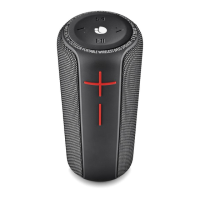
1. In order to connect th em to each other, both speakers must
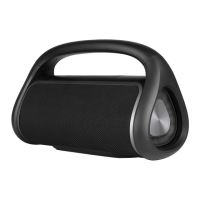
be the same model; NGS Roller Stream.
2. Turn on both speakers and press the button on each of
them. You will hear a beep and both blue LEDs will ash.
3. One blue LED will ash every three seconds and the other
twice a second.
4. Open the bluetooth options on your mobile device (phone,
tablet, computer, etc...) and select the NGS ROLLER STREAM
device.
5. In this manner, they will be synchronised and ready to use
with your mobile device.
6. Unpairing: Press the button on each of them for 2
seconds
When there is an incoming call:
1. The ringing sound will up and the playing music will pause
automatically.
2. Press button to pick up the call if you want.
3. Now you have hand free function with the Bluetooth speaker.
4. Hold down the button for 2 seconds to hand up the call
when nished. And,
5. The paused music will start to play automatically.


 To Next Page