3
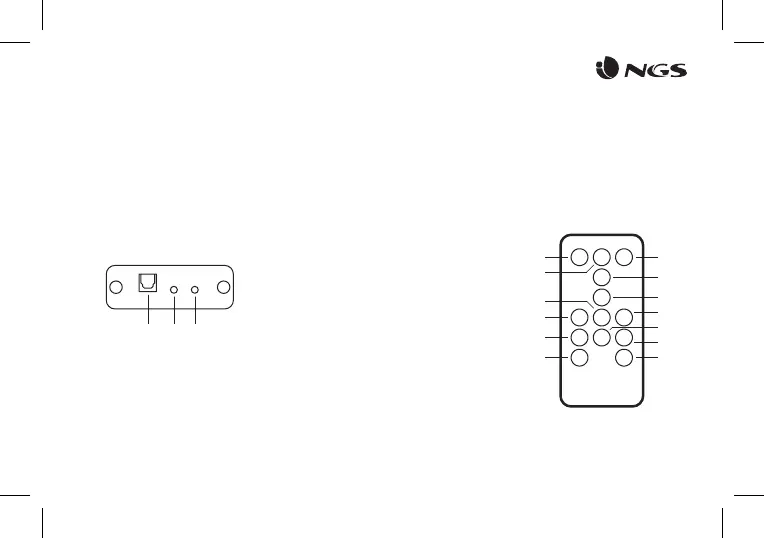
DESCRIPTION OF REAR PANEL
1
2
3
Optical input
Audio input
Audio output
1 2 3
DESCRIPTION OF REMOTE CONTROL
1
2
3
4
5
6
7
8
9
10
11
12
13
On / O
Equaliser
(Choose between pop, rock, jazz, classical or country sound eects)
Press and hold to restore default sound eect
Silence (Display symbol “= =”)
Volume up
Volume down
Play / Pause (Display
symbol “II”)
Previous track
Next track
Aux mode
FM mode
Optical mode *
Bluetooth mode
USB mode
1 3
2
4
5
6
7
8
9
11
10
12 13
* Only works when there is optical input signal. If there is no
signal, it remains in the current mode.


 To Next Page