5
PLUG 2 INTO STEREO
OPTICAL INPUT MODE
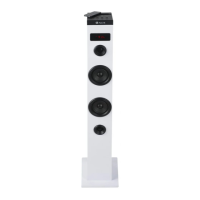
• PlugthesecondNGSSkycharmspeakerintothemainone
using a 3.5mm jack cable. Plug one end of the audio cable into
the output port of the main speaker, which is located on the
rear panel, and the other end of the cable into the input port
of the secondary speaker (also at the rear).
• Controlallfunctionsfromthemainspeaker.
Important
If you plug an audio cable into the audio input on the rear panel
without the other end of the cable being connected to a speaker,
the tower automatically shuts down and must be turned on
again.
• PlugoneendoftheopticalcableintoyourTV,makesureit
isturnedonandplugtheotherendintotheNGSSkycharm
speaker.Thedisplaywillshow“OP”.
Note:YoumustselecttheopticalaudiooutputfromtheTVso
that the sound signal reaches the speaker.
FM MODE
• SelectFMmode.
• PressandholdthePLAY/PAUSEbuttonfortwosecondsto
automatically search for available stations. Press again to
discontinue and store the searched stations.
• PressandholdtheNEXTorPREVkeystoswitchchannels.
• PresstheNEXTorPREVkeystoincreaseordecreasethe
frequency by 0.1 MHz each time and select the desired station.
• PresstheFMkeytosavetheselectedstation.
Note: channels are automatically assigned and sorted by
ascending frequency.


 To Next Page