EasyManua.ls Logo

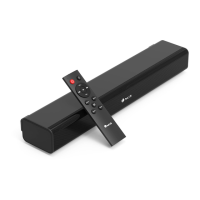
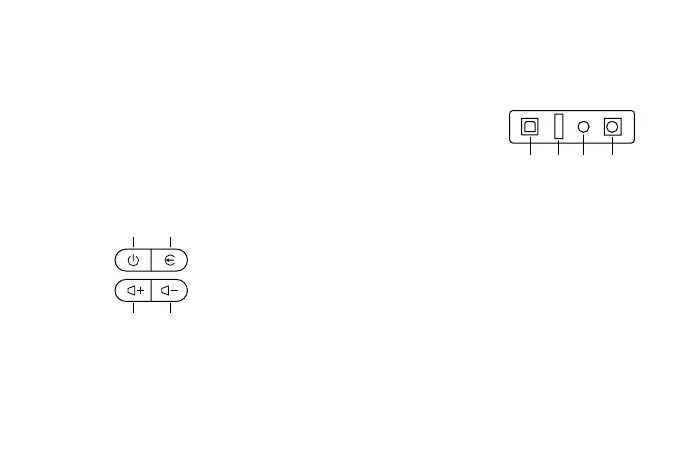
NGS SUBWAY - Side Panel Controls; Side Panel Button Functions; Rear Panel Connectivity; Input Ports and Disconnection Note

NGS SUBWAY
72 pages
Print Icon
To Next Page IconTo Next Page
To Previous Page IconTo Previous Page
Loading...
USER’S MANUAL
2
DESCRIPTION OF SIDE PANEL DESCRIPTION OF REAR PANEL
1
2
3
4
1
2
3
4
Long press
Short click
Long press
Short click
Long press
Short click
Long press
Short click
On/O
Play/Pause
Disconnect the connected bluetooth
Audio source switch
Increase volume
Next track
Decrease volume
Previous track
Optical input
USB input
Aux input
DC input
1 2 3 4
3 4
21
Note:
To fully disconnect the electrical cable, please disconnect the
plug from the electrical power point it is connected to. The base
of the power point should be easy to access.

Related product manuals