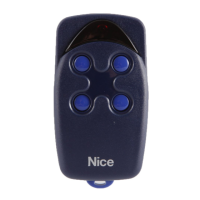
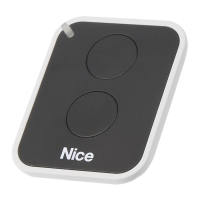
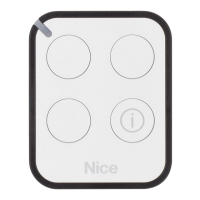
User Guide
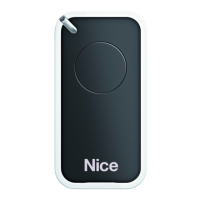
FM135
Single Button
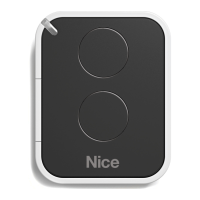
FM134
Two Button
Programming the FM134 and FM135 Remote to Mighty Mule MM371,
MM372, MM571 or MM572 Automatic Gate Openers
Programming the FM134 and FM135 Remote to Mighty Mule MM271 or
MM272 Automatic Gate Openers
2
1. Press and hold the
gate opener’s S3
button ( ) located
on the control board
until you hear a
beep.
S4
S3
S2
LED1
LED2
LED3
1
183-0140 Rev-G
Entry Transmitters
2. Press and hold the desired button on the remote (until
you hear a beep) to complete programming process. The
remote is now programmed to the gate opener.
ON/OFF Switch
NOTE: The process for programming any wireless accessory in the same process as erasing that accessory.
There is no indication that the accessory has been programmed or erased. Make sure to test the accessory
before programing, because you may unintentionally erase it.
4. Power off control box. Press and hold a transmitter button while
sliding the ON/OFF switch to the ON position. Continue to hold
the selected transmitter button for 8-10 seconds. You will hear
a single or a series of beeps, followed by a pause then a single
beep. Release transmitter’s button. Your personal code is now
programmed to that button.
1. Remove back cover of the opener remote.
2. Use small screwdriver
to move switches to
random positions. If you
have more than one
transmitter, set them all
with the same code.
1 2 3 4 5 6 7 8 9
3. Replace and secure back cover of the
opener remote.
NOTE: To program any
subsequent FM134 or
FM135 remotes after
the rst, simply adjust
the dip switch pattern
to match the already
programmed remote.
An innite number of
the transmitters may
be programmed in this
manner.
NOTE: To program any
subsequent FM134 or
FM135 remotes after
the rst, simply adjust
the dip switch pattern
to match the already
programmed remote.
An innite number of
the transmitters may
be programmed in this
manner.
1
3
4
2
Mighty Mule Sales & Technical Service: 800-421-1587
For more information about the full line of Mighty Mule Automatic Gate
Operators, Gate Openers and Access Controls visit
www.mightymule.com
Niceforyou.com
©2023 Nice North America LLC.
Mighty Mule is a registered trademark of Nice North America LLC. All rights reserved.

 Need help?
 General

 To Next Page