10
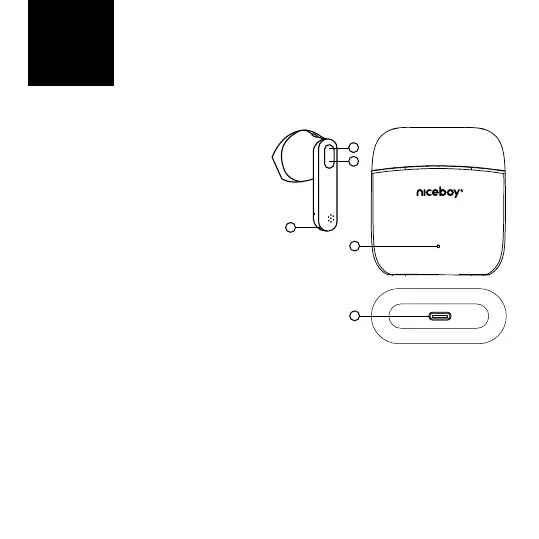
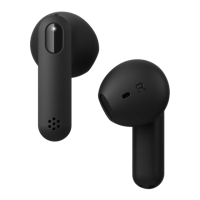
PRODUCT DESCRIPTION
1. LED
2. Multifunction button
3. Charging pins
4. LED charging indicator
5. USB-C charging port
FIRST START-UP AND PAIRING
1. Remove both headphones from the
package and remove the protective
stickers from the charging pins (3)
on the headphones.
2. Insert both headphones into the
charging box and let them charge.
During charging, the LED indicator
remains orange and the then
diode turns o after the charging is
nished.
3. Remove the headphones from the box. They will switch themselves on and pair with
each other.
4. When the LED (1) on one of the headphones starts to alternate between white and
orange ashes, the headphones are ready to connect to a Bluetooth device.
5. Open the Bluetooth settings on your device and search for „Niceboy HIVE Beans“ on
the list of available devices.
6. Successful pairing is announced by an acoustic prompt and the LED (1) will switch o.
EN
2
1
3
4
5



 To Next Page