11
SWITCHING ON AND OFF
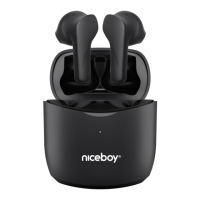
To switch the headphones on, simply remove them from the charging box, or manually
switch them on by pressing and holding both multifunction buttons. To switch them o,
simply insert the headphones into the charging box. They will turn themselves o and
disconnect from your device. The headphones are stored correctly in the box when the
LED (1) turns orange. When the headphones are fully charged the diode will switch o.
To switch the headphones o, press and hold both multifunction buttons (2) for approx.
5 seconds.
MULTIFUNCTION BUTTON - BASIC OPERATION
Press any button once - play/pause, answer/hang up
Press the right button twice - increase the volume by one level
Press the left button twice - decrease the volume by one level
Press and hold the right button for 2 seconds - next song, reject the call
Press and hold the left button for 2 seconds - previous song, reject the call
Press the left button three times - activate Siri / Google Assistant
Press the left button four times - redial the last number dialed
CHARGING
To charge the box itself, connect the charging cable to the USB-C port (5). During char-
ging, the LED indicator will blink (4) and will remain lit when the charging is nished.
FACTORY SETTINGS
1. In the settings of your device, remove the headset from the list of all paired devices.
To be sure, turn the Bluetooth function o.
2. Insert the headphones into the charging box.
3. Remove both headphones from the charging box. Press both multifunction buttons
(2) twice at the same time. An acoustic prompt will play.
4. Insert the headphones into the charging box.
5. The process is now completed. After being removed from the charging box,
the headphones switch automatically on, link together, and can be paired with your
device again.











 To Next Page