16
CHARGING
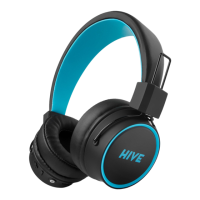
Before their rst use, we recommend completely
charging the headphones. Connect the enclosed
micro USB cable to the charging micro USB port
(6) and charge using any charging adapter (like
from a mobile phone, for instance) with 5V voltage
and a maximum outgoing electrical current of 1A.
The headphones can also be charged using a USB
connection on a PC or powerbank. The LED indicator
shines blue after a complete charge.
When the LED indicator begins to ash red, charge
the headphones. An audio signal will alert you of
your remaining few minutes of use. Completely
charging the battery takes about 1.5 hours (the len-
gth of the charging times depends on the outgoing
electrical current of your charging adapter).
POWERING ON THE HEADPHONES AND
CONNECTING TO BLUETOOTH
1. Press and hold the multifunctional button
until the LED indicator starts to ash blue-red
and the audio signal has sounded. This means
that the headphones are in their pairing mode.
2. Activate Bluetooth on your device and select
“Niceboy HIVE E3” from the list of available
devices. Your device will connect to the head
phones. A successful pairing is announced by an
audio queue. Connection to your phone is then
signalled by the LED indicator ashing blue every
7 seconds.


 To Next Page