17
Note:
The headphones automatically connect to the device
they were last connected to.
For the purpose of saving the battery, the headpho-
nes automatically power o after 3 minutes after
having last connection to your device of if they are
not connected to any device.
POWERING OFF THE HEADPHONES
To power o the headphones, press and hold the
multifunctional button until the audio signal sounds,
and the LED indicator begins to slowly shine red.
MUSIC CONTROLS
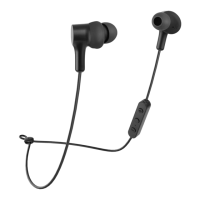
Playback/pause: short press the multifunctional
button (2).
Next track: long press the “+” button (1).
Last track: long press the “-” button (4).
Decrease volume: short press the “+” button (1).
Increase volume: short press the “-” button (4).
TELEPHONE CONVERSATIONS
To accept or end ongoing phone calls, short press
the multifunctional button (2). Press the multifun-
ctional button for about 3 seconds to reject an
incoming call.
Note:
Some phones have calls preferentially set to their own
microphone and headphones. In such a case, change
the selection according to the instructions on your
mobile phone.


 To Next Page