15
2. OVERVIEW
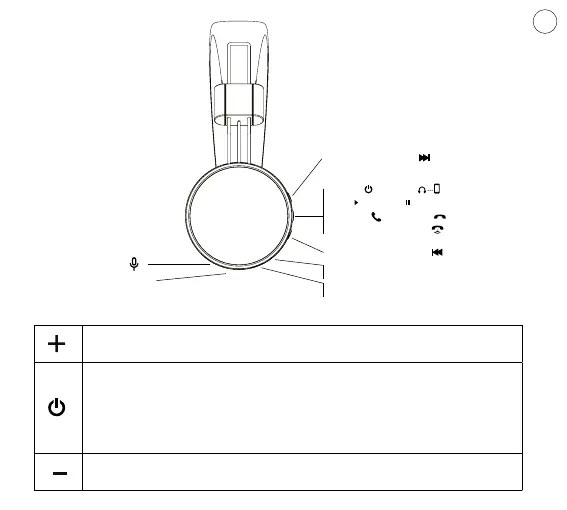
Volume+/Next
Battery status LED
MicroUSB port
Volume -/Previous
Play /pause
Redial last number
Answer /end call
Press and hold to increase volume while calling or playing music
Press once to skip to the next track while playing music.
Long press (3-5 seconds) the button while o – powering on and pairing
Long press (3 seconds) the button while on – powering o
Short press (while playing music) – play/pause
Short press (while playing music) – answer/end a call
Short double press – redialing the last number
Long pressing (3 seconds) – reject call
Press and hold to reduce volume during an incoming call
Press once to skip to the previous track while playing music.
Microphone
Audio input
BUTTON FUNCTIONS
Trigger / Pair
EN








 To Next Page