17
4. CONNECTING
4.1 CONNECTING TO A BLUETOOTH DEVICE
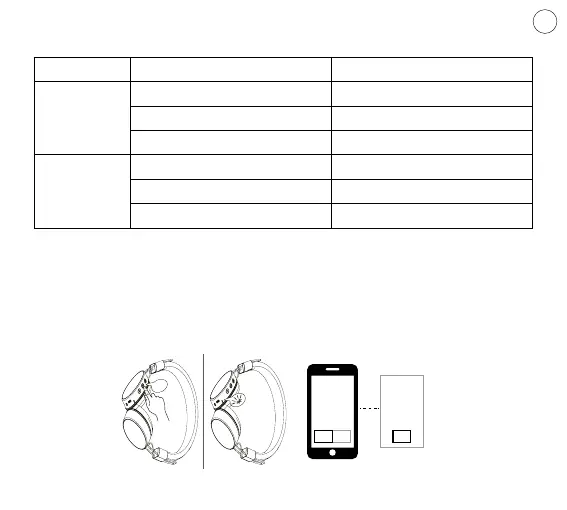
1. Hold the Power button for 3-5 seconds.
2. Pairing mode will be announced in the headphones and the Bluetooth will ash
blue & red.
3. Search for “HIVE“ in the list of device’s Bluetooth settings.
LED status Function
CHARGE
Flashing red Battery low
Red (when plugged in) Charging
Blue (while plugged in) Fully charged
LED
Quick blue & red ashing Pairing mode
Slow blue ashing Connected
Blue Telephone talk
3.2 LED INDICATOR
ON OFF
PAIR
ON/OFF
EN
HIVE



 To Next Page