Need help?
Do you have a question about the Niceboy ORYX M600 and is the answer not in the manual?
Details the items included with the Niceboy ORYX M600 mouse.
Outlines compatible operating systems and disk space needed for the mouse software.
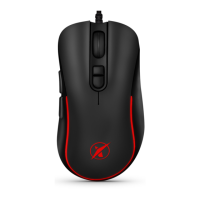
Identifies and labels the main buttons, scroll wheel, and special function buttons on the mouse.
Instructions for connecting the mouse via USB and troubleshooting recognition issues.
Guidance on downloading software for backlight and macro customization.
Monthly maintenance recommendations for cleaning the mouse and its components.
Lists key technical details like voltage, dimensions, DPI, polling rate, and cord length.
Information on customizing lighting effects and programming macro functions using software.
Safety precautions related to temperature, humidity, liquids, and EU directive compliance.
 General
| Sensor Type | Optical |
|---|---|
| Polling Rate | 1000 Hz |
| Buttons | 6 |
| Connection Type | Wired |
| Cable length | 1.8 m |

 To Next Page