9
CONNECTION
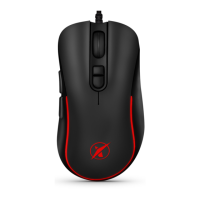
After unpacking the keyboard connect via the USB connector into your computer. If the
mouse is not recognized, check that your USB drivers are up-to-date.
For aditional functions (such as change of backlight color or macro functions) we advise
you to download a software Niceboy ORYX M600 which is available on web page
https://niceboy.cz/podpora/downloads.
MAINTENANCE AND CLEANING
The device requires minimal maintenance, but we
recommend that you perform the following tasks once a month:
Disconnect the mouse from the computer and use a dry or damp cloth in warm water to
clean it from the dirt.
Use a round toothbrush or dampened ear swabs to clean the gaps.
To clean the mouse optic use only dry ear swabs to gently remove any dirt or the dust
particles.


 To Next Page