24
Exposure: exposure compensation settings. The higher the
positive value, the brighter the video; the lower the negative
value, the darker the video.
MotionDetection: If the camera detects movement in front
of the camera, it starts recording (applies if the function is
active); when the movement stops, the recording will also stop.
Use this function only when the vehicle is stationary (parked).
Motion detection only works when the camera is switched on.
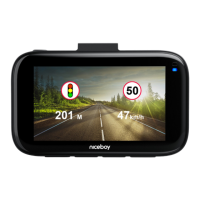
SpeedCameraAlert:turns the radar alert function on / o.
SoundRecording:turns the camera microphone on / o.
TimeStamp: turns the option to insert date and time informa-
tion into the video on / o.
CAMERA SETTINGS
Wi-Fi: turns Wi-Fi cameras on / o.
Date/Time:date and time settings.
AutomaticShutdown: sets the camera to switch o automa-
tically when idle (the camera will not record video).
Screen-saver: sets the time after which the display turns o
(turning the display o does not aect video recording). The
display can be reactivated by pressing any camera button.
AcousticSettings: switches button sounds, speeding alert
sound.
Language: camera menu language setting.
GPS:turns GPS on / o.
TimeZone:sets the time zone to display the current time
based on the GPS.
SpeedUnit:option to switch between km/h and mph.
Frequency: frequency setting (50Hz for Europe, 60Hz
overseas).
Format: erases all data on the memory card.
DefaultSettings: resets the camera to default settings.
Version:camera rmware information.


 To Next Page