10
EN
PLAYBACK MODE VIA USB AND MICROSD CARD
Insertion of the memory card (6) or of USB ash disk (7) will result in automatic activation of
the respective mode on the speaker, which will start playing music. You may also activate the
desirable mode with the mode selection button (1).
TELEPHONE CALLS
Answer an incoming call with the button 4 and terminate it with the same button. Double
press quickly the button 4 to dial the last called number.
CHARGING
The speaker will remind you of low state of its battery by beeping. To charge the speaker
battery, connect the supplied USB cable to the charging port (9) on one end and to any
charging adapter (5V) or to USB on your PC on the other. Charging in progress is indicated
by the red LED, which turns o after the battery is fully charged (2-3 hours).
Our recommendation is to fully charge the speaker before you use it for the rst time.
Thiswill maximize the battery life.
PARAMETERS
Bluetooth: 4.2
Transmission distance: up to 10 m
Power rating: 5W
Sensitivity: ≥ 95 dB
Frequency: 280 Hz – 16 kHz
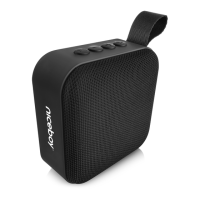
Dimensions and weight: 92 x 92 x 46 mm, 190 g



 To Next Page