8
EN
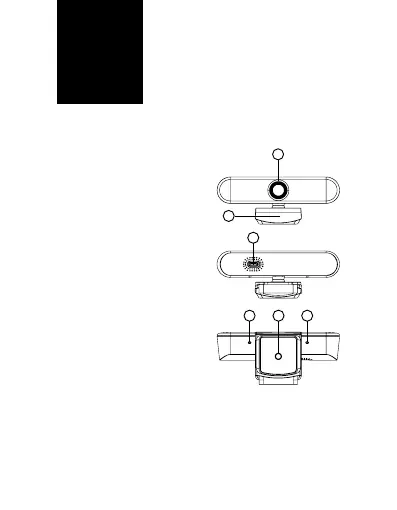
DESCRIPTION
1. Lens
2. Integrated stand
3. USB-C port
4. Tripod threading
5. Microphones
CONNECTING TO A PC
Use the included USB cable
to connect the web camera
to a PC. Plug into the USB-C
port (3) on the camera and
connect the long end to the
USB on your PC.
The Niceboy STEAM ELITE 4K
is a Plug & play web camera,
meaning there is nothing to
install when you plug it into
your PC and the camera may
be used immediately after
you connect it to a PC.
2
3
5 54
1


 To Next Page