9
Note: PC must have 3.0 port or newer in order to use
4K resolution. In the event your PC is not equipped
with a 3.0 USB or newer, 4K resolution may not be
used.
1 2
INSTALLATION
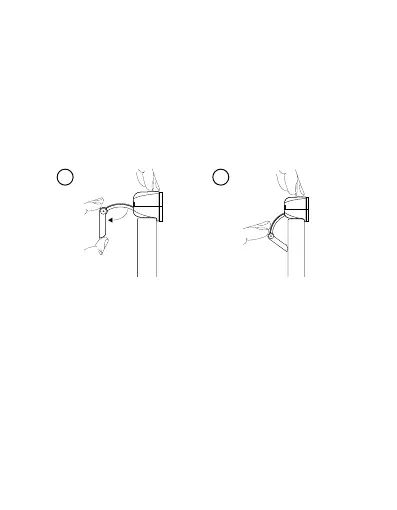
1. Open the camera stand and place the camera
on the upper section of your monitor, so that
the lens is facing forward.
2. Pinch the stand closed, so that it perfectly leans
against the back side of your monitor.
Niceboy tip: you may also place the camera on your
work desk or attach it to a tripod via the tripod thre-
ad (4), located on the bottom of the stand.


 To Next Page