14
1. Open the camera mount and place the camera
ontopofthemonitorwiththelensfacing
forward.
2. Press the mount so it is fully pressed against the
backside of the monitor.
Niceboy Tip: you can also place the camera on a
workbench or mount it on a tripod using the tripod
screw-thread (4) on the bottom of the mount.
PACKAGE CONTENTS
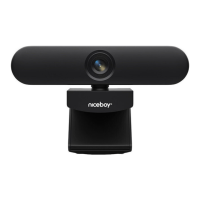
NiceboySTREAMPRO2LEDWebcam
Integratedmountfortable/monitor
USB cable
Manual
PARAMETERS
Maximum
videoresolution: FullHD(1920x1080p)
CameraLens: FOV90°,aperturef/1,8
Microphone: Yes
Cameraport: USB-C
Systemrequirements: Windows8.1andlatter,
MacOS10.1andlatter,
USB2.0
Dimensions: 127x50x54mm
Weight: 101g



 To Next Page