13
of1Aforcharging.Fullychargethebatterybeforeusing
thewatchesforthersttime.Donotexposethewatchto
temperaturedierences,andkeepthewatchundercontrol
whencharging.
WATCH FUNCTIONS
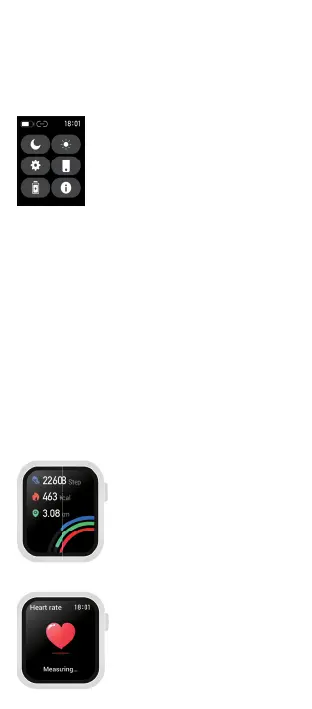
Control panel
Swipedownonthescreen(onthehome
screenwithawatchface)tobringupthe
controlpanel,whichaccessesthemenu
optionsDoNotDisturbMode,Brightness
Settings,EnterSettings,FindPhone,Energy
SavingModeandSystemInfo
Watch settings
YoucanaccessthewatchsettingsviatheControlPanel.The
followingitemsareavailable:
Menu Style:adjuststheappearanceofthewatchmenu
Dial:allowsyoutochangethedial,changethebrightness,set
thebacklighttime,setthedisplaytoactivatebyturningthewrist
Battery:showsthebatterystatusofthewatchandallows
youtoturnontheEnergySavingMode(thewatchturnsthe
Bluetoothoanddisconnectsfromthemobilephone)
Vibration intensity:adjuststhestrengthofvibrationsor
turnsthemocompletely
Language:watchlanguagesettings
QR code:providesthewatchapplink
Password:PINcodesettingforenteringthewatchmenu
System:oersinformationaboutthewatch(BTname,MACad-
dress,FWversion),enablesturningoandresettingofthewatch
Watch screens
1. Steps
Displaythestepcounter,distance
travelled,andcaloriesburned
2. Heartbeat
Swipethescreentostarttheheart
ratemeasurement.Youcansetup
24/7monitoringinthewatchapp



 To Next Page