Contents [ hide
1 PACKAGE CONTENT
2 USE
3 PAIRING THE WATCH WITH A MOBILE
PHONE
4 SYNCHRONIZATION
5 NAVIGATING THE WATCH
6 WATCH SCREENS
7 OTHER FUNCTIONS WITH THE MOBILE APP
8 CHARGING
9 PARAMETERS
10 File Downloads
11 Related Manuals
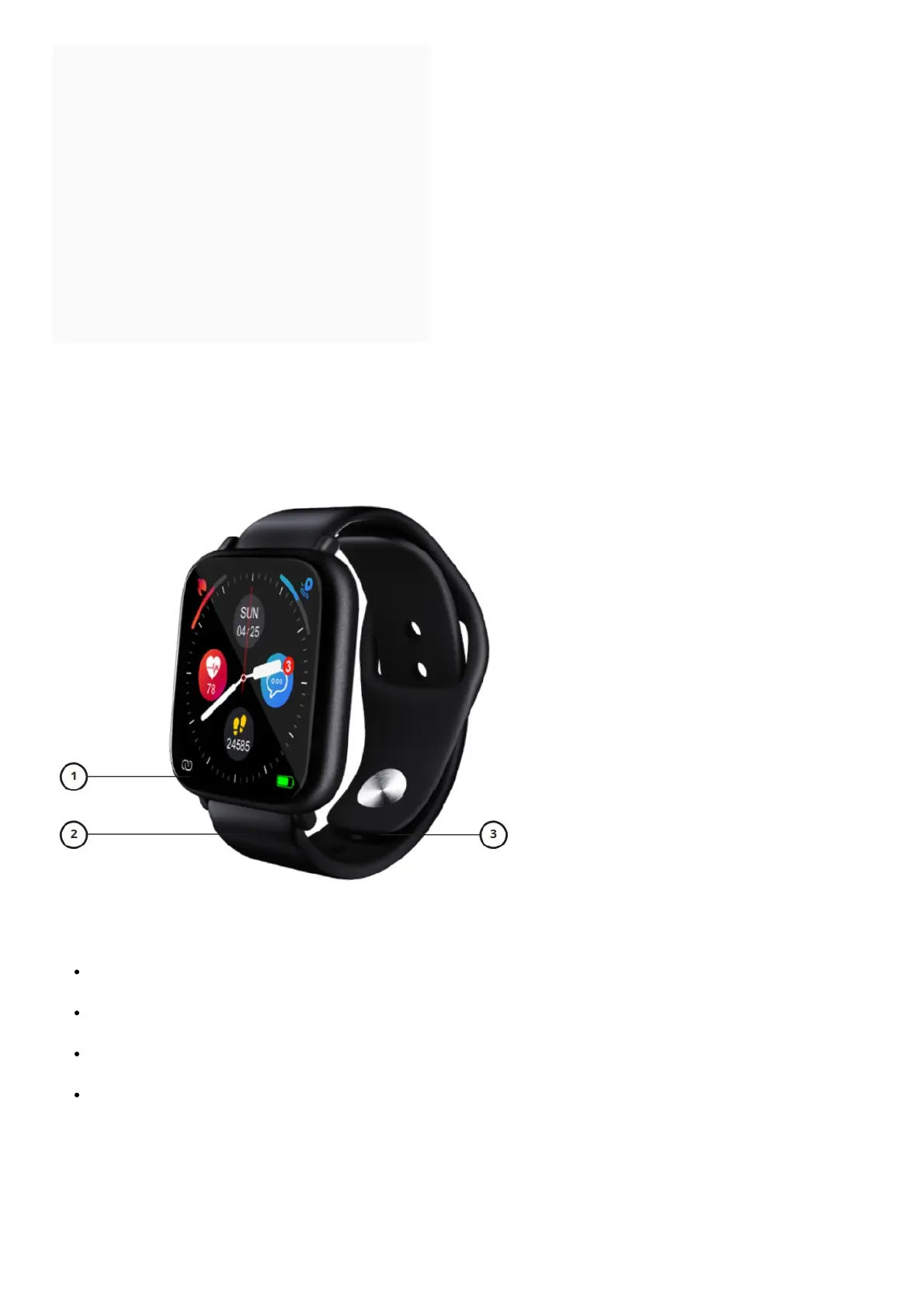
PACKAGE CONTENT
1. Display
2. Band
3. Bottom clip for attaching the band
USE
Power on the watch by pressing on the touchscreen display for about 3 seconds. If the watch does not react,
then you will need to charge it.
Swipe to the right to access the watch menu. Press the icon to access the sub-menu with its individual
activities.
Active the watch display by pressing the touchscreen display or by turning your wrist to the upright position (this
function must be manually turned on in the app).
Power off the smartwatch by selecting the ‘Setup’ icon and then by pressing the Power Off icon. Select ‘OK’ to
confirm your choice.
PAIRING THE WATCH WITH A MOBILE PHONE
1. Download the application ‘FitcloudPro’ from Google Play (suppor- ted by Android 4.4 and newer) or from the
App Store (supported by iOS 8.2 and newer). The application is only available for mobile phones.
2. Turn on Bluetooth on your device.



 To Next Page