3. If the watch is powered off, power it on by pressing and holding the touch-screen display
4. Open the app -> Settings-> to search for your smartwatch click “Pair device” and select NCBWATCH from the
list of available options.
SYNCHRONIZATION
Always synchronize your watch in order to display current values and statistics or to save settings in the mobile app.
Synchronization takes place automatically when the mobile app is opened, or you may synchronize manually by
swiping down on the home screen.
NAVIGATING THE WATCH
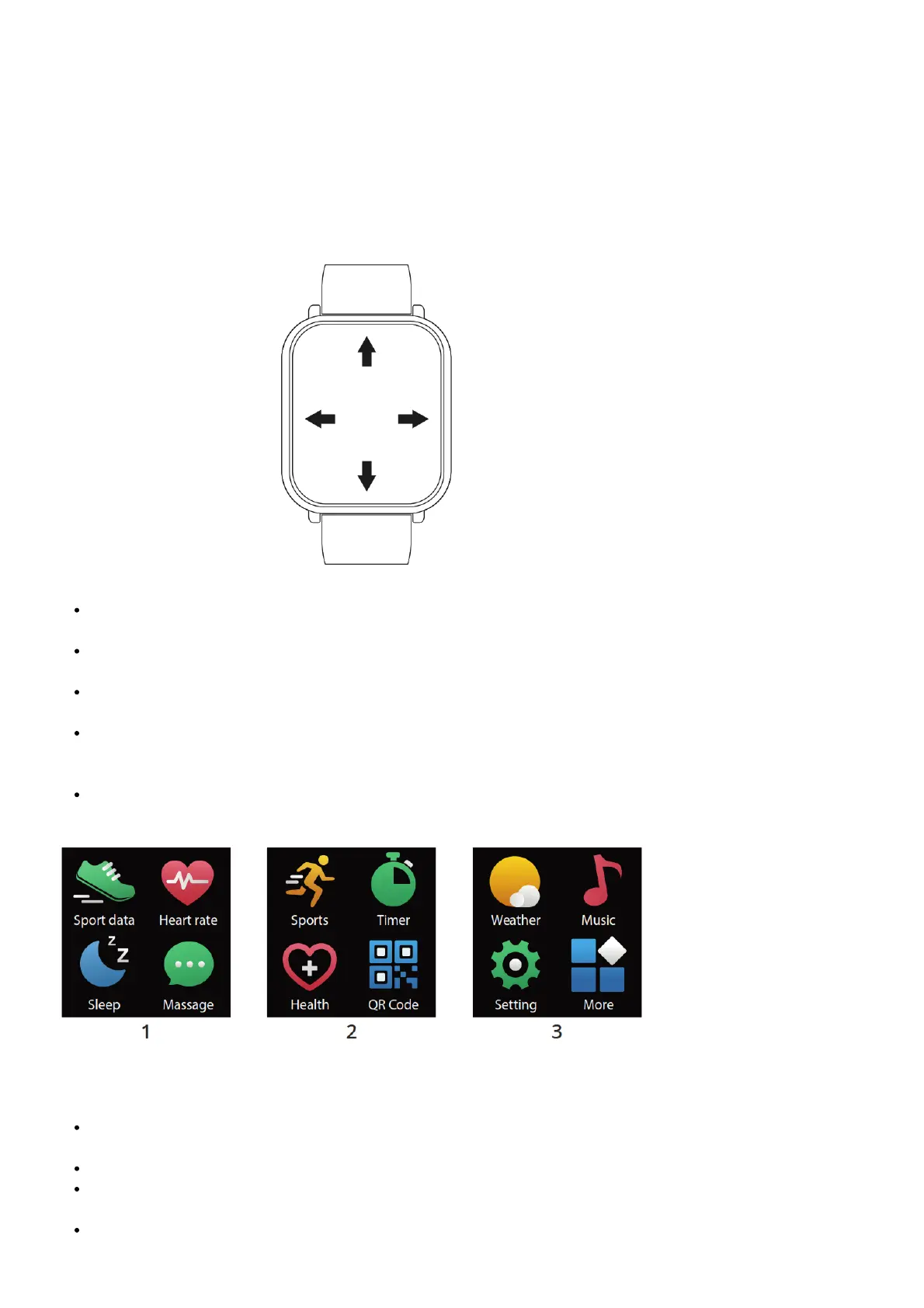
Press and hold the display to enter the home screen selection. Swipe right to change the clock face and confirm
by selecting your choice.
Swiping right from the home screen will display the quick list of applications. Press to confirm and enter the
application. Once you have opened the application, you may then leave by swiping right.
Swipe down on the home screen to access the quick settings for brightness, the telephone locating function,
powering off the watch, and information about the system.
Swiping up from the home screen will display your notifications. Press the touchscreen display to access your
other notifications. By swiping up once more, you will access the mode for monitoring your heart rate and a
summary of your activity in sports.
Swiping left on the home screen will display the app list. Press to confirm and enter the application. Once you
have opened the application, you may then leave by swiping right.
WATCH SCREENS
Home screen: press and hold the display to enter the home screen selection (swipe left to change the watch
face and confirm by selecting your choice).
Sports data: information regarding your step count, kilometres travelled, and calories burned.
Heart rate: continual heart rate monitoring starts automatically (you will see your current heart rate shown on
the watch display). Heart rate monitoring may also be launched via the FitcloudPro app.
Sleep: the watch automatically triggers a sensor detecting sleep at 20:00hand records the course of your sleep.
You may go through the period of your light and deep sleep on the watch, the same goes for the overall period



 To Next Page