Part # M017879450000 REV. July 1, 2011
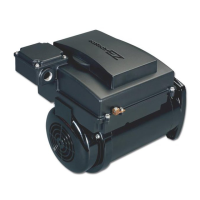
ECOTECH EZ
TM
Variable Speed Motor/Control
(NOTE: There can be up to 4 separate Custom Flow settings. All will be programmed as follows)
1. Use (up arrow) and (down arrow) to move through
the four ow settings.
2. Use the (left arrow) and (right arrow) to move through
the time and ow setting process. Use (up arrow) and
(down arrow) to increase or decrease Time and Flow.
% Flow Range: 30 – 100%
Timer Range: 10-249 minutes
(Holding down the “Up” or “Down” arrows while setting
the timer, will change the value rapidly)
3. After you have set the Custom Flows 1 through 4, press
Enter to save. You are now returned to the Clock Set
Programming if needed.
4. Press Exit to run the stored program. Ensure the RUN/
STOP button is lit to run the program.
315612_MNJ26_VAR SPD_nonSRVS.indd 17 7/19/11 8:01 AM


 To Next Page