7078 Shady Oak Road, Eden Prairie, MN 55344-3505
+1 952 995-8000 www.controltechniques.com
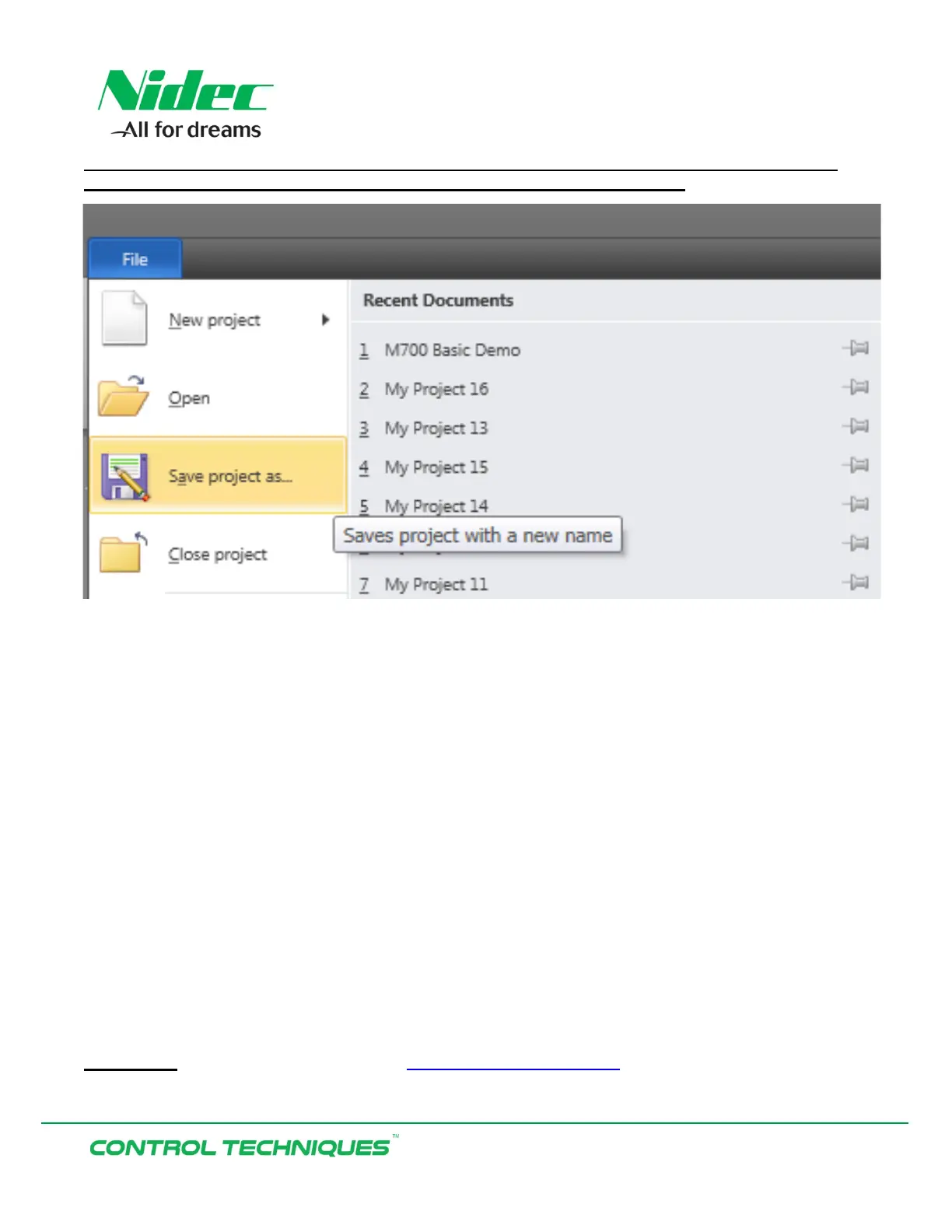
Once the parameter changes have been uploaded go Offline and Select File ‘Save project as’
and enter a file name to save the project as a backup file or for future use:
The demo can now be enabled by activating the Drive Enable (T31). Then either Run Forward (T26) or
Run Reverse (T25) can be activated and the demo Analog potentiometer turned from full CCW (zero
speed) to full CW (full motor speed) in the direction selected, and will provide the required analog
speed command.
Resources: can be found on our website: www.controltechniques.com
For help contact techsupport.cta@mail.nidec.com, or
call Technical Support at 952-995-8000, 24/7/365


 To Previous Page