7078 Shady Oak Road, Eden Prairie, MN 55344-3505
+1 952 995-8000 www.controltechniques.com
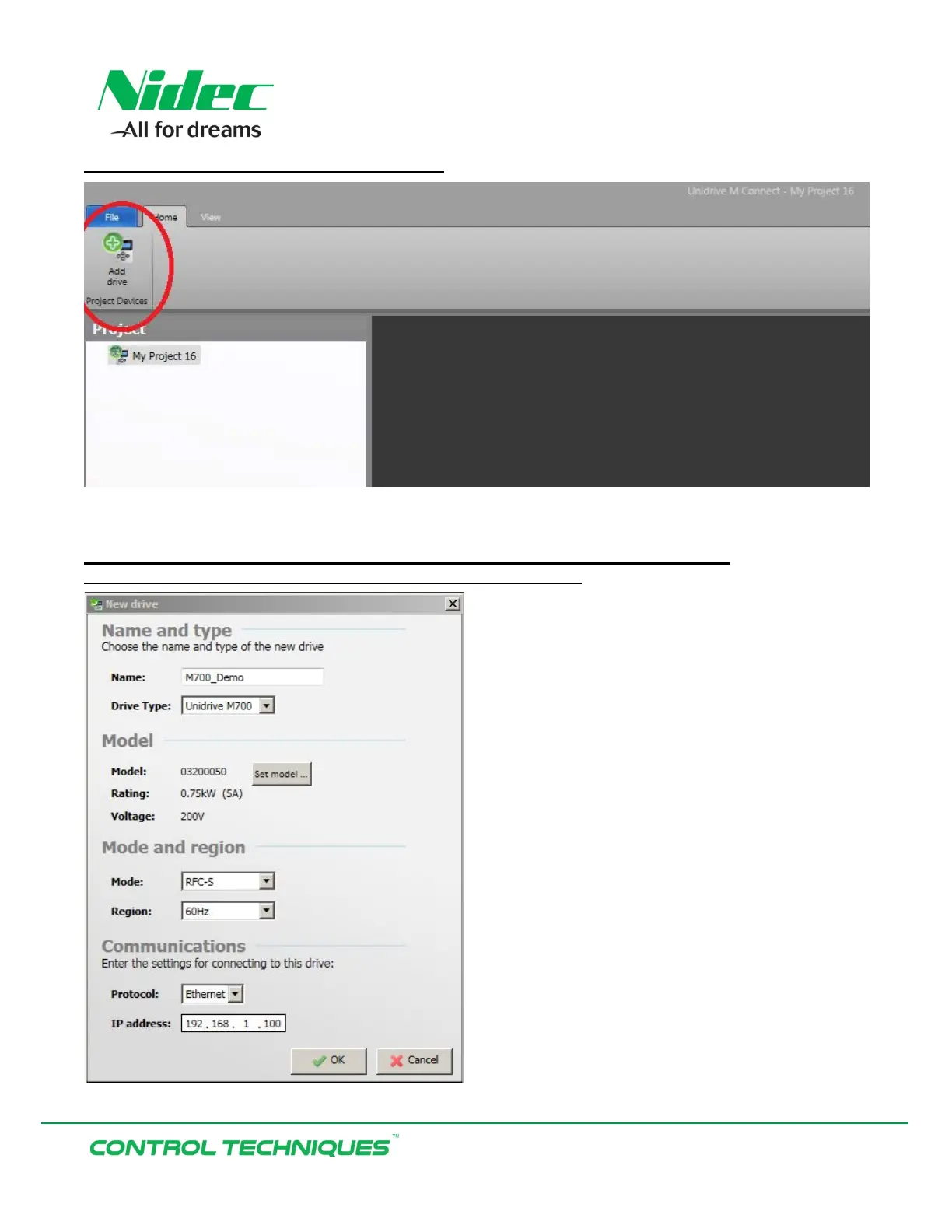
In the top right corner select ‘Add drive’:
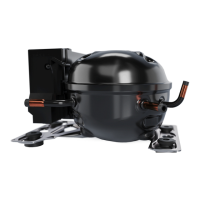
Enter an optional ‘Name’ and make selections for the Model, Mode, Region, and
Communications as shown below. When finished select ‘Ok’:


 To Next Page