System 12 SCR Drive
Manual # 42-02-7223 C1 6-143
6
iControl DC
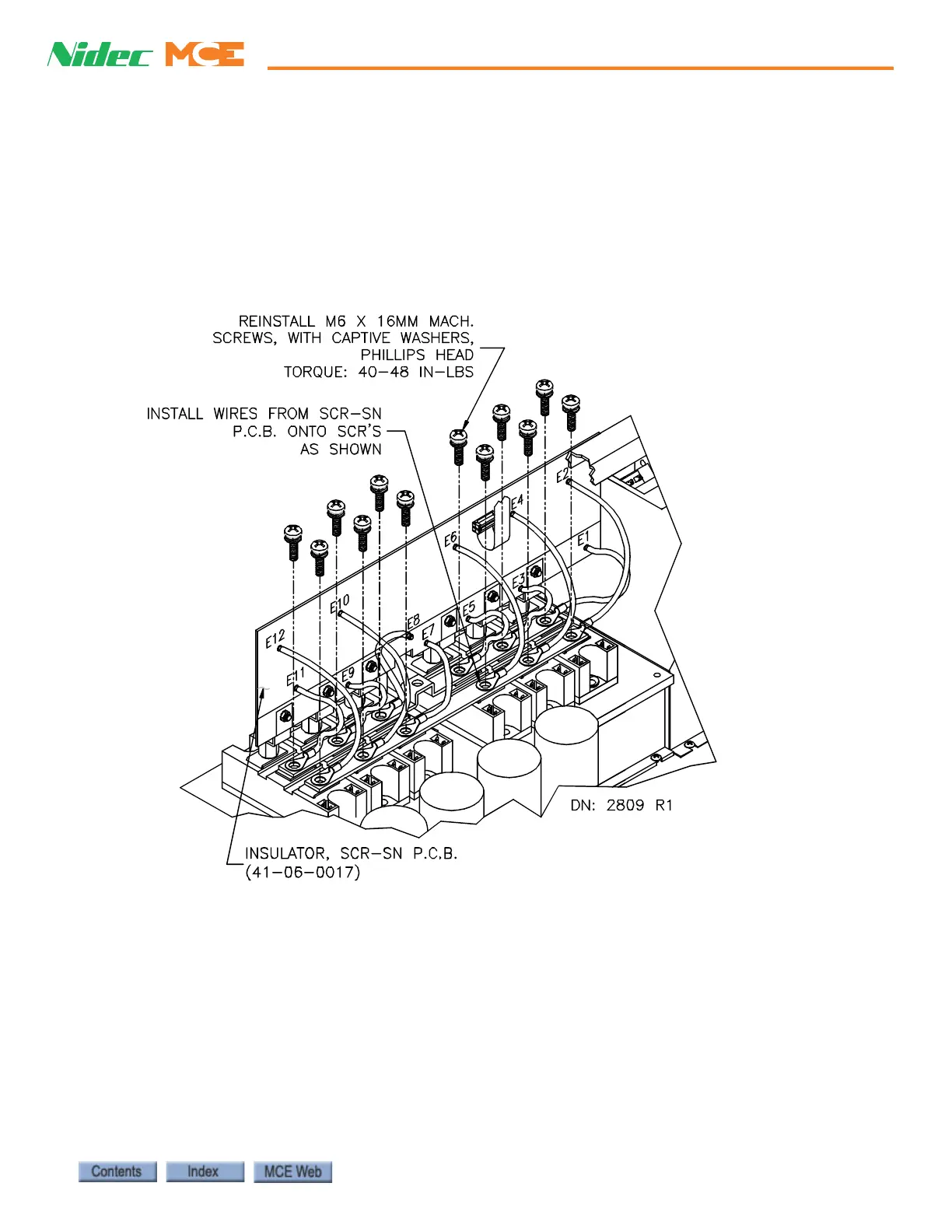
Replacing the SCR-SN Board Removing the SCR-SN board requires that a few wires
be disconnected. Label the wires to ensure they can be reconnected correctly. The right angle
copper brackets and the insulator on the SCR-SN board must be transferred to the new board.
This is best done when both boards are detached from the drive. The swing tray that holds the
SCR-LGA and the SCR-PS board must be removed to make it simpler to remove the SCR-SN
board. Do not disconnect the boards from the tray; remove the tray with the board on it.
Figure 6.31 Replacing the SCR-SN Board



 To Next Page