iView Windows and Tabs
42-02-7223 C1 8-33
8
iControl DC
Pinning and Unpinning Windows
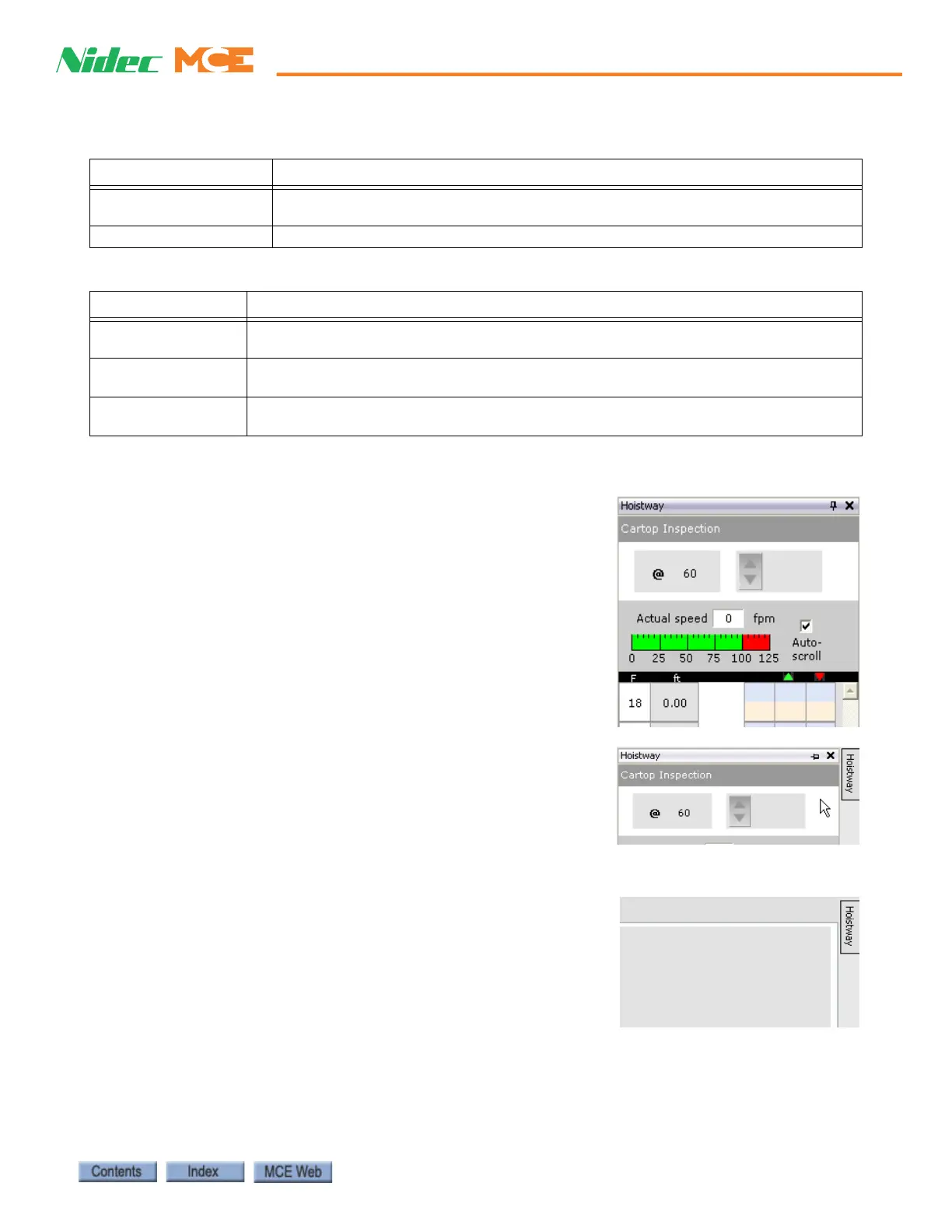
iView windows have a little push-pin icon in the upper right
corner.
• When the pin is pointing down, the window is “pinned”
in its designated position.
• If you click the pin icon, it points to the left and a button
labeled Hoistway appears to the right of the window.
• The window remains in view if the window has focus
(click the window title bar) or as long as the mouse cur-
sor remains on the window or button.
• But if another window has focus and you move the
mouse cursor off the window or button, the window col-
lapses out of view.
Hall Call Wait Time
History Graph
Displays average hall call wait time.
DBD Call Diagnostics Destination Based Dispatching call diagnostics tool.
Table 8.12 System - Miscellaneous Dialogs/Controls
Tab Content
Call
Registration
Allows you to register car and hall calls. This control is accessed by clicking the Call
Registration button on the button bar.
DBD Call
Registration
Allows you to register DBD calls. This control is accessed by clicking the DBD Call Reg-
istration button on the button bar.
Refresh Updates the information displayed on iView windows and tabs. This control is accessed
by clicking the Refresh button on the button bar.
Table 8.11 System - Diagnostic Tabs
Tab Content



 To Next Page