Kestrel® 1000 Pocket Weather® Meter 3
OPERATION
1. Slide o cover.
2. Turn on. Press the center button (
) to turn on the unit.
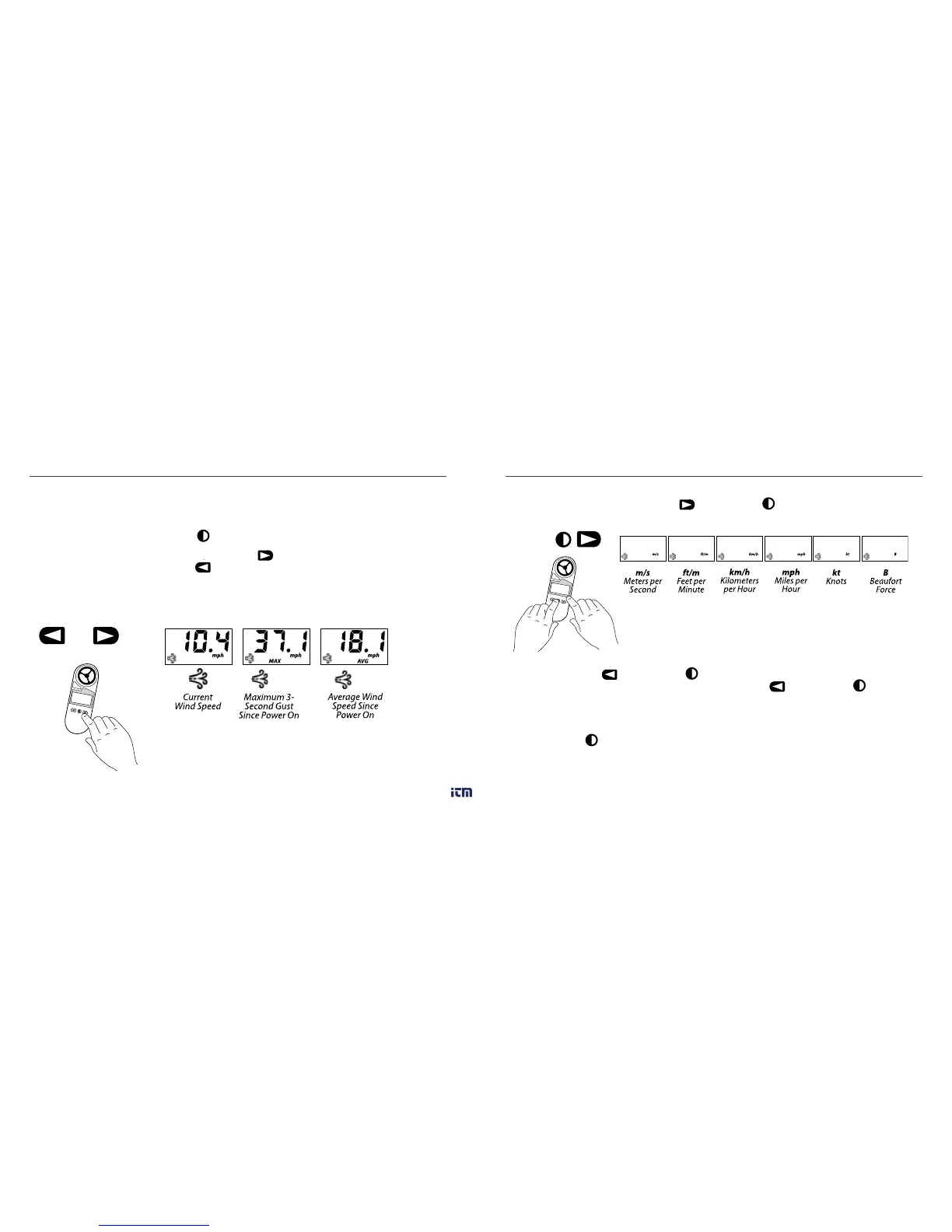
3. Select operating mode. Press the right arrow (
) to scroll through the measurements
listed below. Press the left arrow (
) to scroll through the measurements in reverse
order. The instantaneous measurements will be displayed. (See Understanding the
Measurements section for more information.)
MAX
AVG
4. Select the units of measure. Press
to scroll through the units
of measure.
5. Hold mode. Press
to hold the measured value on the display. The
word “HOLD” will blink to indicate the Hold Mode. Press
to exit
the Hold Mode. This mode can be useful for taking measurements when unable to view
the display, as within a duct. The Max and Avg Wind Speed Modes will continue to work
as usual.
6. Turn o. Hold
for 2 seconds to manually turn o the unit. The unit will automatically
turn o if no buttons have been pressed for 45 minutes.
www. .com
information@itm.com1.800.561.8187



 To Next Page