ADDENDUM (ATTACHING A DIGITAL CAMERA)
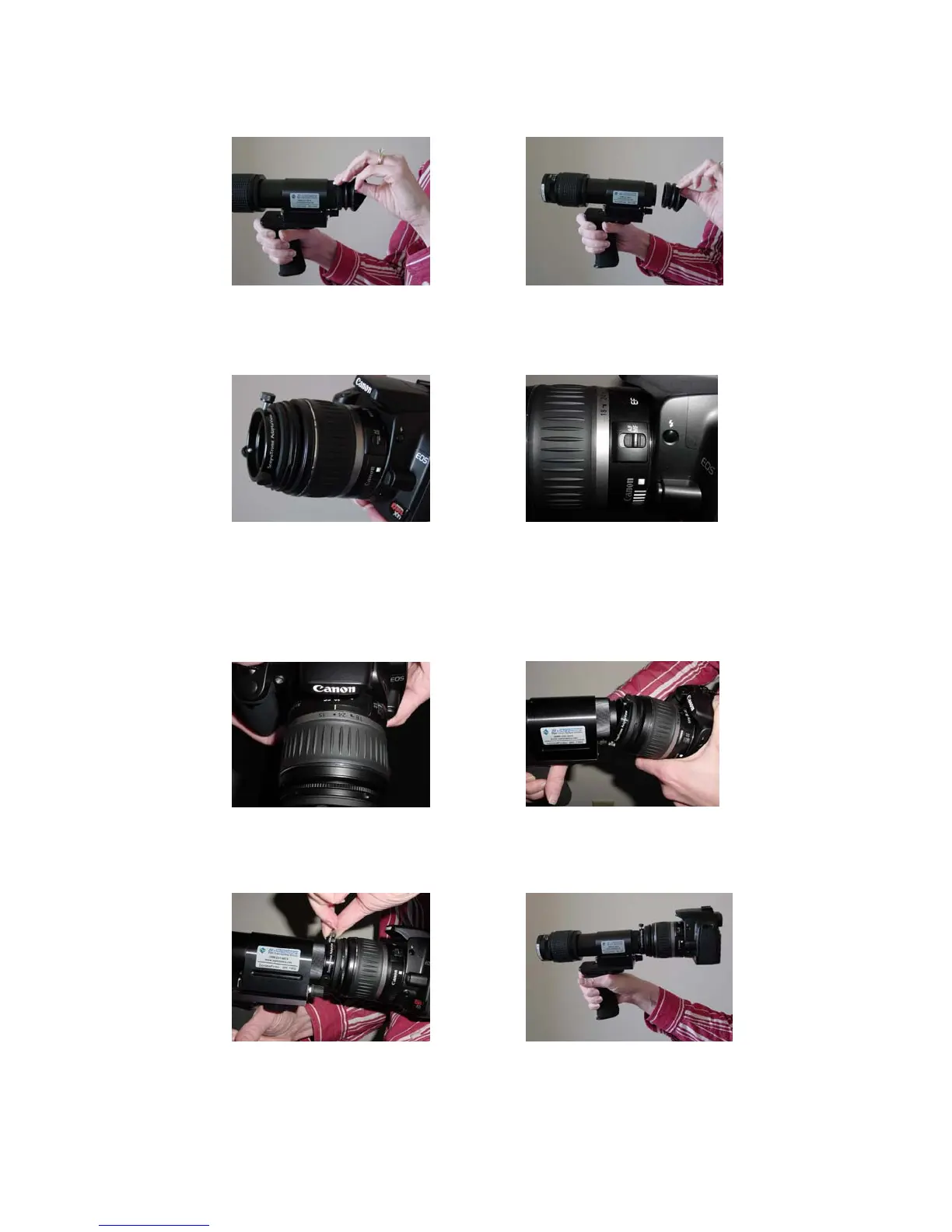
1. Remove eyecup, first peel one edge, then pull away from the eyepiece.
2. ScopeTronix AdaptaView should 3. Make sure camera lens is
be attached to front of camera. set to manual focus (MF).
4. Set the focus to infinity (∞). 5. Attach the CoronaFinder into the
AdaptaView, making the bottom
half enter first. Do not loosen
the bottom two screws.
6. Tighten the top thumbscrew 7. CoronaFinder with camera
until the camera is secure.
Note: Since the camera is now on “manual focus”, the focus ring on the eyepiece
might need to be adjusted for best possible focus. Also, once the camera is
attached to the CoronaFinder, the lens manual focus ring can be rotated slightly to
change focus.



 To Next Page