9
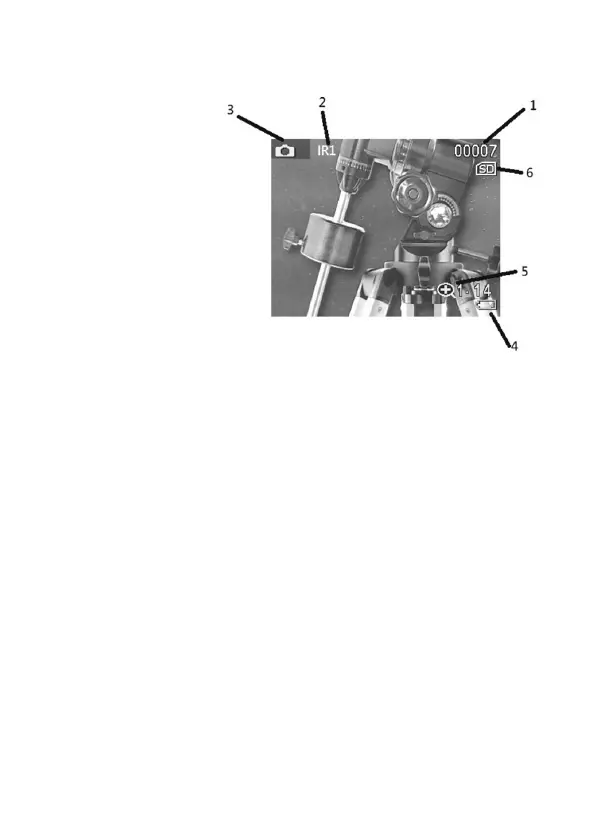
4. Display informaon
5. Taking pictures and videos
1. To take a picture, go to Photo mode (this is the default mode
when the Nighox is switched on.) A camera icon shows at the
top of the screen. To take a photo, press the OK buon.
2. To record a video, go to Video mode. A small video icon will
appear at the top of the screen. To start recording, press the
OK buon. To stop recording, press the OK buon again.
Videos will save automacally onto the Micro SD memory card.
1. No. of photos taken
2. IR power indicator
3. Photo/Video mode icon
4. Baery level indicator
5. Zoom level indicator
6. SD card indicator


 To Next Page