Manufactured by Bayco Products, Inc. • 640 South Sanden Blvd. • Wylie, TX 75098 • 1-800-233-2155 • 1-469-326-9400 • www.nightstick.com
INS-XPP-5422GXL-DL-21
03-18-2021
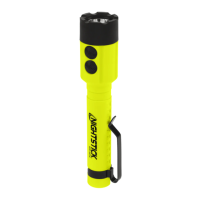
Instruction Manual
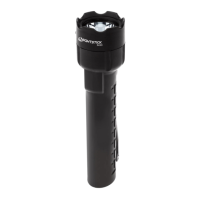
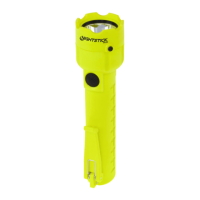
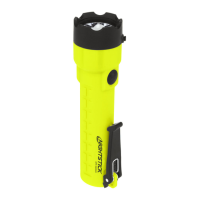
XPP-5422GXL
THE XPP-5422GXL IS APPROVED FOR USE
CLASS I DIV 1 GRPS A-D T3
CLASS II & III DIV 1 GRPS E-G T135ºC
CLASS I ZONE 0 IIC T3
CLASS II ZONE 20 IIIC T135ºC
-20ºC ≤ Tamb ≤ +40ºC
1.5V/Cell AA Alkaline
ID 4003544
INTRINSICALLY SAFE
SECURITE INTRINSEQUE
Bayco Products, Inc. XPP-5422GXL
Wylie, TX 75098
640 S. Sanden Blvd.
WARNINGS - INTRINSICALLY SAFE
y Warning: Use only the approved non-rechargeable batteries listed below.
y Warning: Do NOT attempt to use rechargeable AA batteries with this light.
y Warning: To prevent ignition of a hazardous atmosphere, do not open the lens bezel in
the hazardous environment. This task must ONLY be performed in an area known to be
non-hazardous.
y Warning: When exchanging batteries, use only Duracell PC1500, Energizer EN91 or
Energizer L91 batteries.
y Warning: To prevent ignition of a hazardous atmosphere, the AA batteries must only be
exchanged in an area known to be non-hazardous.
y Warning: To reduce the risk of explosion, do not mix new non-rechargeable batteries
with used non-rechargeable batteries, or mix non-rechargeable batteries from different
manufacturers.
y Warning: Substitution of components may impair intrinsic safety.
SPECIAL INSTRUCTIONS FOR INTRINSIC SAFETY
For personal safety, always con rm the rating of any known hazardous or potentially
hazardous location where the light is to be used.
BATTERY INSTALLATION
WARNING: In order to maintain the Intrinsically Safe rating, the only AA batteries
certi ed for use with this light are the Duracell PC1500, Energizer EN91 or Energizer
L91 batteries.
y Do not attempt to use any other brand or model of AA batteries with this light.
y Do not attempt to use any type of rechargeable AA batteries with this light.
Warning: To prevent ignition of a hazardous atmosphere, do not remove the lens
bezel or the re ector / battery carrier in the hazardo us environment. This task must
ONLY be done in an area known to be non-hazardous.
y Loosen the locking screw located on the side of the lens cap. NOTE: Do NOT attempt
to completely remove the locking screw. Doing so is not necessary and may damage the
threads. The screw simply needs to be loosened enough to allow the lens bezel to unscrew.
y Unscrew the lens bezel from the housing in a counter-clockwise direction.
y Turn the light upside down and carefully shake the light in order to remove the re ector /
battery carrier. Allow the re ector / battery carrier to slide into your hand. WARNING: Do NOT
touch the re ector surface with your nger. Doing so may damage the re ector surface.
y Using 3 AA Duracell PC1500, Energizer EN91 or Energizer L91 batteries (make sure that
all 3 batteries are of the same model), install the batteries in the carrier paying close attention
to the markings on the battery carrier for proper battery terminal polarity alignment.
y Align the re ector / battery carrier so that the switches on the carrier are aligned with
the switches on the housing. Carefully insert the re ector / battery carrier back into the
ashlight housing until it is fully seated in the housing. WARNING: Be careful to not touch
the re ector surface with your nger. Doing so may damage the re ector surface.
y Replace the lens bezel by screwing it onto the housing in a clockwise direction.
y Tighten locking screw. CAUTION: Do not over-tighten. Doing so may damage the
threads and impact the light’s Intrinsic Safety.
OPERATION
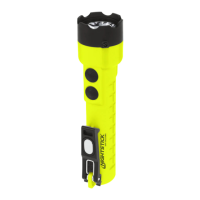
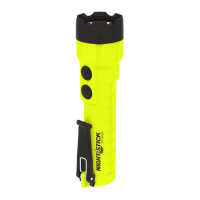
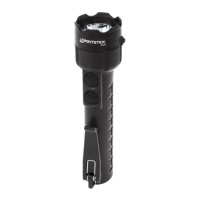
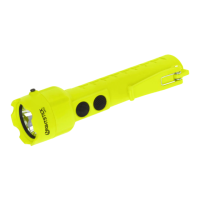
THE XPP-5422GXL LIGHTING MODES:
MOMENTARY FLASHLIGHT MODE
Lightly press the top body switch for momentary operation. Release the switch to turn
the light off.
CONSTANT-ON FLASHLIGHT MODE
Press the top body switch until it clicks and then release for constant-on mode. Press
and release the top body switch again to turn the light off.
LASER MODE
Press the bottom body switch until it clicks and then release for laser mode. Press and
release the bottom body switch again to turn the laser off.
DUAL-LIGHT MODE
Dual-Light allows the user to turn on both the ashlight and the laser at the same
time. Press the top body switch until it clicks and then release for constant-on mode ashlight
Mode. Next press and release the bottom switch to activate the laser. Both the ashlight and
the laser are now running. Press and release both the top and bottom body switches to turn
the lights off.
LASER RADIATION
CAUTION: Use of controls or adjustments or performance of procedures other than
those speci ed herein may result in hazardous radiation exposure.
WARNING: Laser Radiation maximum power measured at less than 3.5mW. Avoid direct eye
exposure. Do not stare into beam. Do not turn the light on while looking directly into the bezel.
Location
of Laser
Aperture warning and Class 3R laser labels are located on the bottom of the light as per
illustrations above.
Complies with 21 CFR 1040.10 and 1040.11 except for conformance with IEC 60825-1
Ed. 3., as described in Laser Notice No. 56, date May 8, 2019.
Factory Location: Longkou Dongli Wire and Cable Co., Ltd., 413 Beihuan Road,
Huangcheng, Longkou, Shandong, China 265701.
The XPP-5422GXL is not intended to be serviced. Contact Bayco Customer Service if
product is not functioning properly. See warranty section for more information.
WARRANTY
LIMITED LIFETIME WARRANTY
Bayco Products, Inc. warrants this product to be free from defects in workmanship and
materials for the original purchaser’s lifetime. The Limited Lifetime Warranty includes the
LEDs, housing and lenses. Rechargeable batteries, chargers, switches, electronics and
included accessories are warranted for a period of two years with proof of purchase. Normal
wear and failures which are caused by accidents, misuse, abuse, faulty installation and
lightning damage are excluded.
We will repair or replace this product should we determine it to be defective. This is the
only warranty, expressed or implied, including any warranty of merchantability or tness for
a particular purpose.
For a complete copy of the warranty, go to www.baycoproducts.com/bayco-product-
support/warranties. Retain your receipt for proof of purchase.

 Need help?
 General


 To Next Page