6
Please allow 1 minute warm-up time after switching on.
* Push the RESET button after switching on.
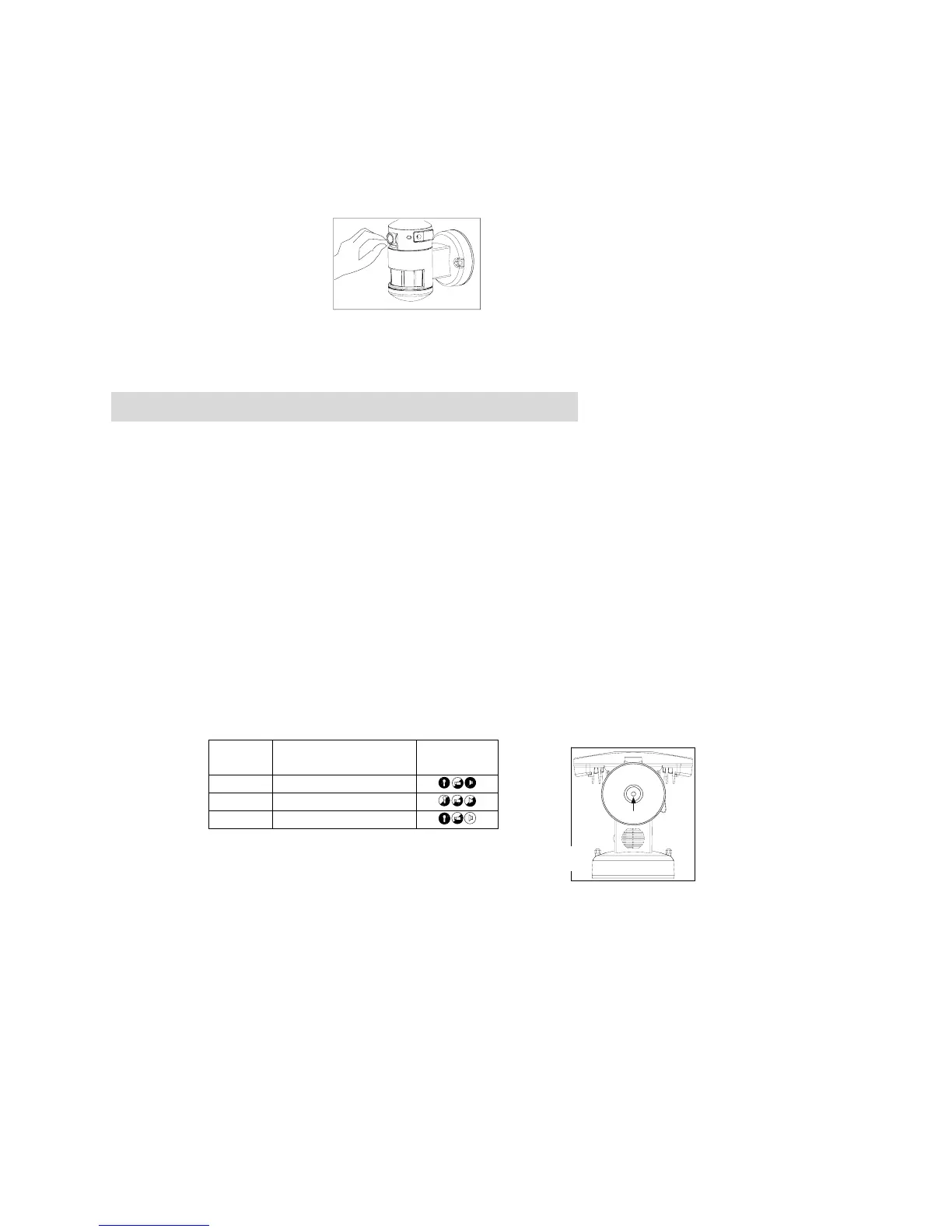
Remove plastic lens cover from camera and the tape after installation. (see fig. 6)
Programming Nightwatcher NW700
Step 1. Adjusting the Settings (see fig. 7~10)
Selecting working mode: Mode LED Indicator hidden inside the lens will display different LED
lights when switching different modes. LED light will be off after 30 seconds.
Mode 1: Perfect for a place of business (default setting)
Light at night + camera all day + speaker at night
-Daytime: light is off, camera is on, speaker is off
-Night time: light is on, camera is on, speaker is on
Mode 2: Suggested setting when out of town
Light + camera + speaker: all day detection
-Daytime and night time: light, camera and speaker are all in operation
Mode 3: Suggested for day to day use
Light at night + camera all day + speaker in the daytime
-Daytime: light is off, camera is on, speaker is on
-Night time: light is on, camera is on, speaker is off
* For above 3 modes, after audio is triggered, no audio will be triggered in the following 30
seconds.
Camera LED indicator:for indicating the function status of the unit by different color LED
lights.
1) Red: Micro SD card (part no.②) is not inserted into the Micro SD slot or the system is
malfunctioning.
2) Green: The unit is recording.
3) LED off: stand by (Micro SD card is inserted into the slot), when OFF/REC button is pressed.
* Before removing Micro SD card from the slot, please press the push-button on the bottom of the
Nightwatcher NW700 for 3 seconds to stop the light turning – the LED will flash orange. To
resume working, push the push-button again.
* Please note when OFF/REC button is pressed, remove Micro SD card (part no.②) within 30
seconds (now the LED will turn red after Micro SD card is removed from the slot)
Fig. 6
Mode LED Indicator
(hidden inside the lens)
Symbol
Mode 1 RED
Mode 2 ORANGE
Mode 3 GREEN
this
Fig. 7


 To Next Page