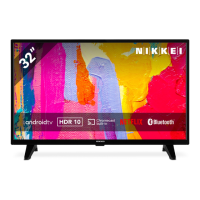
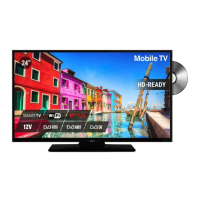
Need help?
Do you have a question about the Nikkei NH3214 and is the answer not in the manual?
Explains symbols for personal safety, general advice, environmental and hazards.
Warns against opening the product due to dangerous internal tension and electric shock risk.
Details on where to install the product and required ventilation for optimal performance.
Advises against exposing the TV to high temperatures, moisture, water, and dust.
Guidance on connecting the TV to the power source and unplugging during non-use.
Emphasizes the danger of placing the TV in unstable locations causing injury or death.
Explains the CE marking signifies compliance with European directives for product safety and performance.
Lists key technical details like weight, temperature range, and reception systems.
Describes the energy-saving feature where the TV automatically enters standby mode.
A welcome message and highlights of the high-definition television's features.
Lists the items provided with the television, such as the user manual and remote control.
Instructs to pull the plug for abnormal sound/smell and contact maintenance for issues.
Advises keeping the TV from rain, damp, dust, and proper ventilation.
Details on cleaning the display with soft cloth and warnings against using solvents or harsh materials.
Warns against unstable placement and routing power/signal lines across walkways.
Discourages disassembling the back cover due to high voltage and recommends professional repair.
Advises against placing liquids on the TV and unplugging during lightning strikes.
Details the location of buttons on the TV's control panel.
Explains the purpose of each button on the TV's physical control panel.
Step-by-step instructions for attaching the TV stand to the unit.
Instructions for safely detaching the TV stand from the unit.
Specifies using standard M4x8mm screws for wall mounting and consequences of using different ones.
Recommends contacting a professional technician for wall mounting assistance.
Advises against wall mounting while the TV is on and to refer to the bracket instructions.
Diagram and list of all input/output ports available on the TV for connectivity.
Details on connecting AC, earphones, SCART, VGA, HDMI, COAXIAL, RF, USB, and MiniYPbPr.
Explains core buttons like Power, Mute, Number keys, TV/Radio, Recall, and Sleep.
Details buttons for Sound Modes (S.MODE), Picture Modes (P.MODE), and Audio languages (NICAM/A2).
Describes buttons for SOURCE selection, channel tuning (CH+/-), and volume adjustment (VOL+/-).
Explains INFO for status, ASPECT for screen ratio, and FAV for favorite channels.
Details the OK, MENU, and EXIT buttons for navigating and confirming selections in menus.
Explains buttons for REVEAL, SIZE, SUBPAGE, TEXT, INDEX, and HOLD for content interaction.
Covers SUBTITLE selection, CANCEL, MEDIA access, A-B repeat, AUTO, REPEAT, and color buttons.
Instructions on how to install batteries in the remote control, ensuring correct terminal placement.
Provides notes on battery life, replacement, handling, and optimal operating distance/angle.
Suggests using a 75Ω antenna cable to minimize disturbance and avoid bundling with power cords.
Details the process of powering on the TV and entering standby mode using the remote or unit.
Explains the automatic low power sleep state activated after periods of inactivity or no signal.
Covers powering the TV on/off, switching between DTV/ATV modes, and basic navigation.
Explains how to change channels using buttons or number keys, and adjust volume.
Details muting sound, selecting input sources, and choosing audio languages.
Covers displaying program information and notes on multi-audio language support.
Outlines the common procedure for navigating menus using MENU, navigation, and OK buttons.
Guides through initial setup including language, country, energy model, and auto-tuning.
Explains how to use the CH.LIST button to select preferred channels from a list.
Details how to display and navigate teletext information using the TEXT button.
Describes switching between TV and radio modes using the TV/RADIO button.
Explains how to select desired subtitles if the channel supports multi-subtitle options.
Instructs on switching to USB mode and inserting a memory device for playback.
Details how to select, play, and manage photo files from a USB device.
Explains how to select, play, and manage music files from a USB device.
Details how to select, play, and manage movie files from a USB device.
Explains how to select, display, and navigate text files from a USB device.
Describes remote operations for play, pause, stop, fast forward/backward, and file navigation.
Guides on navigating to the Channel menu using the remote control's MENU and OK buttons.
Explains selecting antenna type (DVB-T/C) and performing auto scan for channels.
Details manual tuning for Analog TV, including color system and sound system selection.
Guides on manual tuning for Digital TV, including channel selection and search.
Explains how to delete, move, skip, or add channels to favorites.
Describes viewing signal details and managing Conditional Access Module (CAM) cards.
Guides on navigating to the Picture menu using the remote control's MENU and OK buttons.
Explains available picture modes and adjusting contrast from 0-100.
Details adjusting brightness and color saturation values from 0-100.
Covers adjusting tint, sharpness, and color temperature for optimal viewing.
Guides on navigating to the Sound menu using the remote control's MENU and OK buttons.
Explains available sound modes and adjusting treble/bass levels.
Details adjusting balance, auto volume, and surround sound effects.
Covers SPDIF output modes and the Audio Description (AD) switch for accessibility.
Guides on navigating to the Time menu using the remote control's MENU and OK buttons.
Explains how to view system time and select the desired time zone.
Details setting turn-off time, turn-on time, and automatic sleep timer.
Covers setting auto standby duration and on-screen display (OSD) active time.
Guides on navigating to the Setup menu using the remote control's MENU and OK buttons.
Explains selecting on-screen display and teletext languages.
Details selecting audio/subtitle languages and enabling hearing impaired features.
Covers adjusting aspect ratio and re-accessing the first time installation menu.
Explains selecting energy mode and updating software via USB.
Details how to reset settings to factory defaults and manage HDMI CEC functions.
Guides on navigating to the Lock menu using the remote control's MENU and OK buttons.
Explains enabling system lock and setting/resetting the password.
Details how to lock specific channels and set parental guidance levels.
Covers enabling key lock, hotel mode, and managing brightness.
Explains the characteristics of pixels on the screen and the tolerance level for defects.
Provides solutions for scenarios where there is no image, no voice, or both.
Offers fixes for static, noise, and achromatic color problems.
Details troubleshooting steps for when the remote control is not responding.

 To Next Page
 General