- 18 -
3. Parts Identification
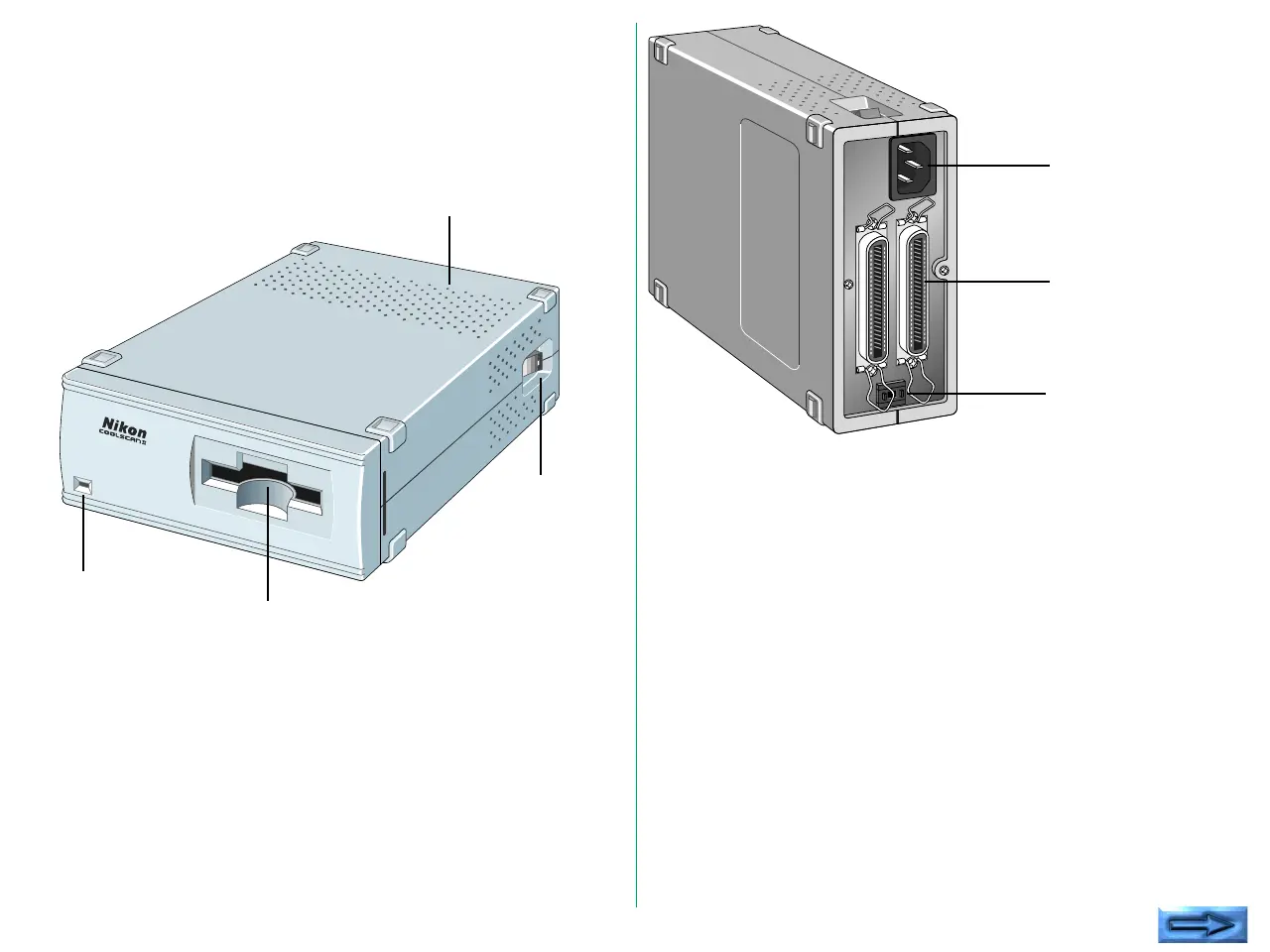
3.1 Main Unit
Standard Model
SCSI Connectors:
For SCSI cable connection. No difference
between IN and OUT.
SCSI ID switch: Sets the SCSI ID number. Numbers 0 to 7
are shown and valid.
AC Inlet: Connect to the AC power source with the
power cord provided.
Film Slot: The film holder is inserted here.
Status display LED:
Shows the scanner status.
Power Switch: Directly turns the AC power ON/OFF.
Ventilation Holes:
Since air is drawn in through these holes,
make sure that they are not blocked by other
equipment.
Ventilation Holes
Power
Switch
Film Slot
Status display LED
5
AC Inlet
SCSI Connectors
SCSI ID switch








 To Next Page