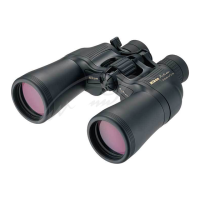
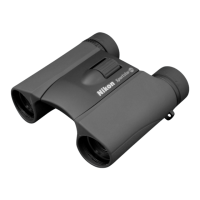
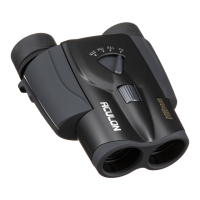
The Nikon ACULON T11 8-24x25 is a compact Porro prism zoom binocular designed for versatile viewing. It offers variable magnification, allowing users to adjust between 8x and 24x, making it suitable for a wide range of activities from birdwatching to sporting events.
Function Description:
The primary function of the ACULON T11 is to provide magnified views of distant subjects. Its zoom capability allows for quick changes in magnification, enabling users to first locate a subject at a lower power and then zoom in for a more detailed view. The binocular features a central focusing system, with a diopter adjustment ring on the right eyepiece to compensate for differences in vision between the user's eyes. Eyecups can be adjusted for both eyeglass and non-eyeglass wearers, ensuring comfortable viewing.
Important Technical Specifications:
- Model: ACULON T11 8-24x25
- Type: Porro prism zoom binoculars
- Magnification: 8-24x
- Effective Diameter of Objective Lens: 25 mm
- Angular Field of View (Real): 4.6° (at 8x magnification)
- Angular Field of View (Apparent): 35.6° (at 8x magnification)
- Field of View at 1,000m/yds.: 80m/241yds. (at 8x magnification)
- Exit Pupil: 3.1 mm (at 8x magnification)
- Relative Brightness: 9.6 (at 8x magnification)
- Eye Relief: 13.0 mm (at 8x magnification)
- Close Focusing Distance (approx.): 4.0 m / 13.1 ft.
- Interpupillary Distance Adjustment: 56-72 mm
- Length: 123 mm / 4.8 in.
- Width: 109 mm / 4.3 in.
- Weight: 305 g / 10.8 oz.
- Waterproof: No (This product is not waterproof and should be protected from rain and splashes.)
Usage Features:
Eyecups:
The eyecups are designed for user comfort and can be adjusted based on whether the user wears eyeglasses.
- For eyeglass wearers: Use fully retracted.
- For non-eyeglass wearers: Use fully extended.
To adjust the eyecups, refer to the images provided in the manual for the correct turning direction.
Zoom Lever:
Magnification is changed by moving the zoom lever. When adjusting magnification, it is recommended to first correctly adjust focusing at a higher magnification. This helps minimize blurring that may occur when changing magnification. If focusing is initially adjusted at a low magnification and then changed to a high magnification, serious image blur may occur.
Interpupillary Distance Adjustment:
To achieve a single, circular viewfield, adjust the distance between the right and left eyepiece tubes by moving them apart or closer together until the two circular viewfields merge into one.
Diopter Adjustment (Balancing Right and Left Eyesight):
This adjustment compensates for differences in vision between the user's eyes.
- Once focus is correctly adjusted, remember the diopter index position for easier future adjustments.
- To focus on a nearby subject, rotate the diopter adjustment ring or focusing ring counterclockwise.
- To focus on a distant subject, rotate clockwise.
Focusing (CF: Central Focusing Binoculars):
For models with the diopter adjustment ring on the right eyepiece:
- Rotate the focusing ring until a sharp image is obtained in the left eyepiece.
- Rotate the diopter adjustment ring of the right eyepiece until a sharp image of the same subject is obtained in the right eyepiece.
- Check focusing on both eyes.
- When viewing a different subject, adjust only the focusing ring until a sharp image is obtained.
For models with the diopter adjustment ring on the left eyepiece (some zoom binoculars):
- Set the zoom lever at the maximum magnification position.
- Rotate the focusing ring until a sharp image is obtained in the right eyepiece.
- Rotate the diopter adjustment ring of the left eyepiece until a sharp image of the same subject is obtained in the left eyepiece.
- Check focusing on both eyes.
- When viewing a different subject, adjust only the focusing ring until a sharp image is obtained.
Neck Strap and Eyepiece Cap:
- Neck Strap: Attach the neck strap as illustrated in the manual, ensuring it is not twisted.
- Eyepiece Cap: The eyepiece cap can be positioned in two ways during observation:
- Remove the cap from the eyepieces and let it hang from the neck strap.
- Remove the cap, detach the right strap from the cap, and let it hang from the left neck strap.
- To attach/detach the eyepiece cap, pull the neck strap through the slits in the order shown in the manual (c→b→a for attaching, a→b→c for detaching).
Maintenance Features:
General Care:
- Avoid Physical Shock: Always protect the binoculars from shock. If a normal image cannot be obtained after dropping or getting wet, consult a Nikon-authorized service representative immediately.
- Temperature Changes: If exposed to sudden temperature changes, water condensation may occur on lens surfaces. Thoroughly dry the binoculars at room temperature in such cases.
- Environmental Protection: This product is not waterproof. Avoid getting it wet from rain, water splashes, sand, and mud. If it does get wet, wipe the water off as soon as possible.
Cleaning:
- Dust Removal (Rotating Parts): Remove dust trapped in the focusing unit, diopter adjustment unit, or other rotating parts with a soft brush.
- Body Surface Cleaning: After removing dust with a blower, clean the body surface using a soft, clean cloth. After use at the seaside, lightly soak a soft, clean cloth with water and wipe off any salt. Then wipe with a dry cloth. Do not use benzene, thinner, or other organic solvents.
- Lens Surface Cleaning:
- For dust: Use a soft, oil-free brush.
- For stains/smudges (e.g., fingerprints): Wipe the lenses very gently with a soft, clean cotton cloth. Use a small quantity of pure alcohol (ethanol) or lens cleaner, wiping from the center of the lens to the outside in a circular motion. Avoid using anything hard that could scratch the lens surface.
Storage:
- Humidity Control: Water condensation or mold can occur on lens surfaces due to high humidity. Store the binoculars in a cool, dry place. After use in rainy conditions or at night, thoroughly dry them at room temperature before storing.
- Long-Term Storage: For extended storage, keep the binoculars in a plastic bag or an airtight container with a desiccant. If this is not possible, store them in a clean, well-ventilated place, separate from the case, as they are easily affected by moisture.
- Avoid Heat: Do not leave the binoculars in a car on a hot or sunny day, or near heat-generating equipment, as this may cause damage.
Safety Precautions:
- Eye Safety: Never look at the sun directly through the binoculars, as this can cause serious eye damage.
- Stability: Do not leave the binoculars in an unstable place where they might fall and cause injury.
- Mobility: Do not look through the binoculars while walking, as this can lead to collisions and injury.
- Handling: Do not swing the binoculars by their straps, as they could hit someone and cause injury.
- Skin Irritation: Prolonged use of rubber eyecups may cause skin inflammation. If symptoms occur, discontinue use and consult a doctor.
- Pinching Hazard: Be careful not to pinch fingers when adjusting interpupillary distance or diopter, especially when small children use the binoculars.
- Choking Hazard: Keep polyethylene packaging bags out of reach of small children to prevent suffocation. Ensure small children do not inadvertently swallow the cap or eyecup; if this happens, consult a doctor immediately.
- Unauthorized Repair: Do not disassemble the binoculars. Repairs should only be performed by a Nikon-authorized service representative.
- Material Deterioration: The soft case, strap, external materials, and rubber eyecups may deteriorate over time and stain clothes. Check their condition before each use and consult a Nikon-authorized service representative if deterioration is found.
This product is covered by a Nikon Twenty-Five Year Limited Warranty in the Continental United States, Alaska, and Hawaii, provided it is free from defects in material and workmanship from the date of purchase. The warranty does not cover misuse, abuse, negligence, accidents, or damage caused by unauthorized parts or service.

 Need help?
 General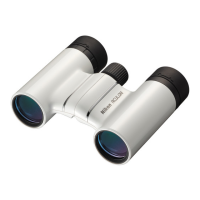


 To Next Page