EasyManua.ls Logo

Nikon COOLPIX L620 - User Manual

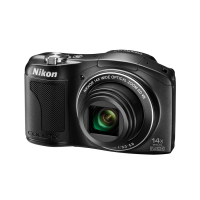
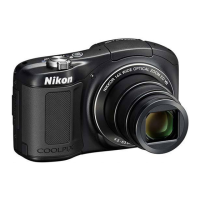
Nikon COOLPIX L620
128 pages
Print Icon
To Next Page IconTo Next Page
Loading...
No reproduction in any form of this manual, in whole or in part (except
for brief quotation in critical articles or reviews), may be made without
written authorization from NIKON CORPORATION.
Printed in UAE
CT3G01(11)
6MN29011-01
DIGITAL CAMERA
Users Manual

Table of Contents

Other manuals for Nikon COOLPIX L620

Questions and Answers

  • C
    cherylleonJul 26, 2025
    How to improve monitor readability on Nikon COOLPIX L620 Digital Camera?
    • M
      Melissa OwensJul 26, 2025
      If the monitor of your Nikon Digital Camera is hard to read, try adjusting the monitor brightness. Also, ensure the monitor is clean.
  • J
    Jerry HawkinsJul 30, 2025
    How to correct date and time on Nikon COOLPIX L620 recordings?
    • A
      Amy SaundersJul 30, 2025
      If the date and time are incorrect on your Nikon Digital Camera recordings, it may be because the camera clock hasn't been set. If 'O' flashes during shooting, images and movies saved before setting the clock are dated “00/ 00/0000 00:00” or “01/01/2013 00:00”. To fix this, set the correct time and date in the Time zone and date option in the setup menu. Also, the camera clock is not as accurate as ordinary clocks, so periodically compare and reset it as needed.
  • K
    Kevin MurphyAug 3, 2025
    What to do if the monitor is blank on my Nikon COOLPIX L620?
    • J
      Jenny DavisAug 3, 2025
      If the monitor on your Nikon Digital Camera is blank, it could be due to several reasons: the camera might be off, the batteries might be exhausted, it may have entered standby mode, the flash might be charging, or it could be connected to a computer or TV. Try pressing the power switch, shutter-release button, A button, c button, or b (e movie- record) button.
  • T
    Tracey GravesAug 8, 2025
    What to do if my Nikon COOLPIX L620 is on but not responding?
    • L
      Lori RodriguezAug 8, 2025
      If your Nikon Digital Camera is on but not responding, first wait for any recording to finish. If the issue continues, turn the camera off. If it still doesn't turn off, remove and reinsert the battery, or disconnect and reconnect the AC adapter if you're using one. Note that any data being recorded will be lost, but previously recorded data will remain unaffected.
  • P
    Paige KaneAug 12, 2025
    Why does my Nikon Digital Camera turn off without warning?
    • A
      Amanda MurphyAug 12, 2025
      Your Nikon Digital Camera might be turning off unexpectedly due to several reasons: it could be automatically shutting off to save power, the camera or batteries might be too cold, or the inside of the camera might have become too hot. If overheating is the issue, leave the camera off until it cools down before trying to turn it on again.
  • R
    randallramosAug 16, 2025
    Why does my Nikon COOLPIX L620 become hot?
    • G
      garciadavidAug 16, 2025
      The Nikon Digital Camera may become hot when used for an extended period of time to shoot movies or send images using an Eye-Fi card, or when used in a hot environment; this is not a malfunction.
  • G
    Gina CookAug 21, 2025
    Why does my Nikon Digital Camera make a sound?
    • A
      Allen WilliamsAug 21, 2025
      When Autofocus mode is set to Full-time AF or while in some shooting modes, the Nikon Digital Camera may produce an audible focusing sound.

Summary

Introduction

Read This First

Essential initial information and safety warnings before using the camera.

For Your Safety

Crucial safety precautions to prevent injury and product damage.

Parts of the Camera

The Camera Body

Identification and description of external components of the Nikon COOLPIX L620.

The Basics of Shooting and Playback

Preparation 1 Insert the Batteries

Instructions for correctly inserting batteries into the camera.

Preparation 2 Insert a Memory Card

Guide on inserting and handling the memory card for image storage.

Preparation 3 Setting the Display Language, Date, and Time

Steps to set up initial camera preferences like language and clock.

Step 2 Select a Shooting Mode

How to choose the appropriate shooting mode for different photographic situations.

Step 4 Focus and Shoot

Instructions on how to achieve focus and capture images with the camera.

Shooting Features

Using the Flash

Instructions on how to use the camera's flash effectively for various lighting conditions.

Recording and Playing Back Movies

Recording Movies

Step-by-step guide to recording video clips with the camera.

General Camera Setup

Functions That Can Be Set with the MENU Button (Setup Menu)

Detailed options for customizing camera settings and preferences.

Connecting the Camera to a TV, Computer, or Printer

Transferring Images to the Computer

Detailed steps for copying images from the camera to a PC.

Technical Notes and Index

Caring for the Product

Guidelines for maintaining and cleaning the camera for longevity.

Troubleshooting

Solutions for common camera problems and error messages.

Nikon COOLPIX L620 Specifications

General IconGeneral
TypeCompact digital camera
LensNIKKOR lens with 14x optical zoom
Focal Length4.5-63.0 mm (angle of view equivalent to that of 25-350 mm lens in 35mm [135] format)
Video RecordingFull HD 1080p
Maximum Aperturef/3.3-5.9
Sensor1/2.3-inch CMOS
Image StabilizationLens-shift VR (Vibration Reduction)
ISO SensitivityISO 125-3200
LCD Screen3.0-inch TFT LCD with anti-reflection coating
Digital Zoom4x
Storage MediaSD, SDHC, SDXC memory cards
Shutter Speed1/1500-1 s; 4 s (when scene mode is set to Fireworks Show)
Movie1920 x 1080/30p

Related product manuals