EasyManua.ls Logo

Nikon COOLPIX L610 - User Manual

Nikon COOLPIX L610
300 pages
Print Icon
To Next Page IconTo Next Page
Loading...
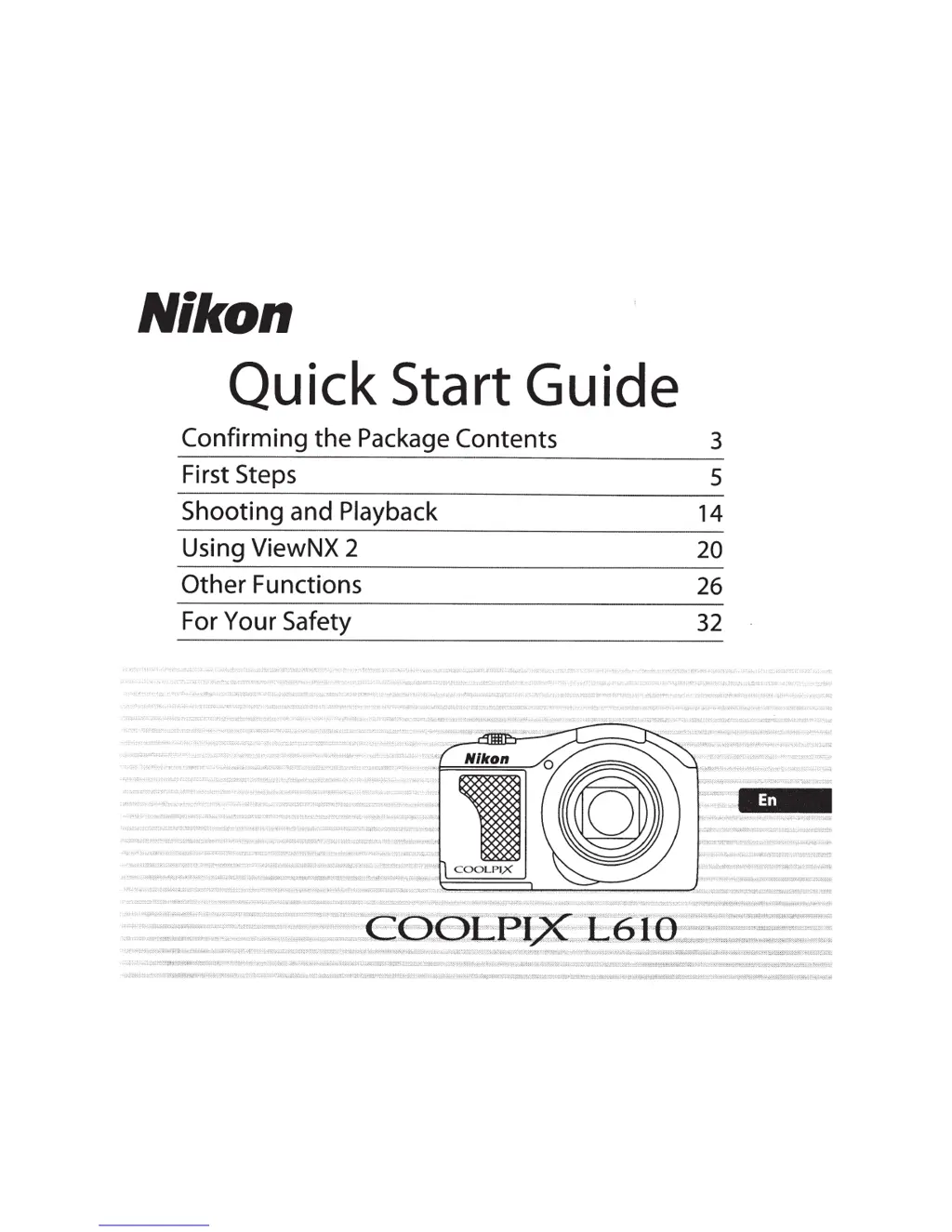
Nikon
Quick Start Guide
Confirming
the
Package
Contents
3
First Steps
5
Shooting
and Playback
14
Using ViewNX 2
20
Other
Functions
26
For Your Safety
32

Table of Contents

Other manuals for Nikon COOLPIX L610

Questions and Answers

  • J
    Jake Orr Jr.Sep 13, 2025
    Why does my Nikon COOLPIX L610 Digital Camera take so long to save images?
    • M
      Mr. David HarrisSep 13, 2025
      Saving images may take longer on your Nikon Digital Camera when the noise reduction function is active (such as in dark environments), when the flash mode is set to auto with red-eye reduction, when shooting in Night landscape scene mode, when the skin softening function is applied while shooting, or when using continuous shooting.
  • M
    matthewhallAug 25, 2025
    How to fix blurred images on Nikon Digital Camera?
    • M
      Mr. Timothy PottsAug 25, 2025
      If your Nikon Digital Camera images are blurred, consider the following: * Use the flash. * Increase the ISO sensitivity. * Enable vibration reduction or motion detection. * Use the Best Shot Selector (D). * Use a tripod and the self-timer.
  • K
    Kayla GomezAug 25, 2025
    How to correct date and time on Nikon Digital Camera?
    • M
      Mrs. Karen SotoAug 26, 2025
      If the date and time are not correct on your Nikon Digital Camera recordings, it might be because the camera clock hasn't been set. The 'Date not set' indicator will flash when taking pictures or recording movies. To fix this, set the correct time and date in the setup menu using the Time zone and date settings. Also, remember to check and reset the camera clock regularly against a reliable timepiece.
  • J
    Jenna BaileySep 23, 2025
    Why aren't my images showing up for printing from my Nikon Digital Camera?
    • G
      garciadonnaSep 23, 2025
      If images to be printed are not displayed on your Nikon Digital Camera, ensure the memory card contains images. Replace the memory card. Remove the memory card to print images from the internal memory. Images captured using 3D photography in scene mode cannot be printed.
  • D
    Daniel ButlerSep 14, 2025
    Why can't I play back a file on my Nikon COOLPIX L610 Digital Camera?
    • E
      elizabethsotoSep 14, 2025
      If a file cannot be played back on your Nikon Digital Camera, it may have been overwritten or renamed by a computer or another camera. Also, this camera cannot play back movies recorded with another make or model of digital camera.
  • J
    Jason BestSep 23, 2025
    Why are album icons reset on my Nikon Digital Camera?
    • M
      Mary CollierSep 23, 2025
      If album icons are reset to their default icons or images added to albums cannot be displayed in favorite pictures mode on your Nikon Digital Camera, the data saved in the internal memory or on the memory card may not be played back correctly if overwritten by a computer.
  • D
    Donna HurstSep 6, 2025
    Why do the colors look unnatural on my Nikon COOLPIX L610 Digital Camera?
    • J
      Joe PerrySep 6, 2025
      If the colors in your Nikon Digital Camera photos appear unnatural, it might be because the white balance or hue isn't adjusted properly.
  • C
    craig80Sep 7, 2025
    How to fix noise in Nikon COOLPIX L610 images?
    • A
      Angela RobinsonSep 7, 2025
      If you see randomly spaced bright pixels (noise) in your Nikon Digital Camera images, especially in dark conditions, it's likely due to a slow shutter speed or high ISO sensitivity. You can reduce noise by using the flash or specifying a lower ISO sensitivity setting.
  • T
    Thomas JosephSep 23, 2025
    Why aren't my images showing up in auto sort mode on my Nikon COOLPIX L610?
    • D
      Diana SanchezSep 23, 2025
      If the saved images are not displayed in auto sort mode on your Nikon Digital Camera, the desired image may have been sorted to a category other than the one currently displayed. Images saved with another make or model of digital camera, or images copied using the Copy option cannot be played back in auto sort mode. Images saved in the internal memory or on the memory card may not be played back correctly if overwritten by a computer. Up to 999 images and movies in total can be added to each category. If the desired category already contains 999 images or movies in total, new images or movies cannot be added.
  • T
    Tiffany WilsonAug 31, 2025
    Why does my Nikon COOLPIX L610 keep turning off?
    • T
      Todd HuffmanAug 31, 2025
      If your Nikon Digital Camera turns off unexpectedly, it might be due to the battery being exhausted or the camera turning off automatically to save power. Alternatively, the camera and batteries might be too cold to function correctly.

Summary

First Steps

Attach the Camera Strap

Attaching the camera strap to the eyelets.

Select Language and Set Camera Clock

Setting the camera's language and time/date.

Shooting and Playback

Focus and Shoot

Focusing on the subject and taking the picture.

Using ViewNX 2

Other Functions

Flash Mode, Self-Timer, Macro Mode, and Exposure Compensation

Setting flash, self-timer, macro, and exposure compensation.

For Your Safety

WARNINGS

Critical warnings for safe operation and injury prevention.

Turn off in the event of malfunction

Actions to take in case of camera malfunction.

Do not disassemble

Warning against disassembling the camera to prevent injury.

Parts of the Camera

Using Menus (MENU Button)

How to navigate and use the camera menus.

Shooting Features

Recording and Playing Back Movies

Recording Movies

Instructions for recording video clips using the movie button.

General Camera Setup

Technical Notes and Index

Troubleshooting

Common problems and their solutions.

Nikon COOLPIX L610 Specifications

General IconGeneral
Optical Zoom14x
Digital Zoom4x
Display Size3.0 inches
Image StabilizationLens-shift Vibration Reduction (VR)
ISO Sensitivity125-3200
Video Resolution1920 x 1080 (Full HD)
TypeCompact digital camera
Image SensorCMOS
LensNIKKOR lens
Aperturef/3.3-5.9
Storage MediaSD/SDHC/SDXC memory cards
Sensor TypeCMOS
Effective Pixels16.1 million
LCD Monitor Resolution460, 000 dots
Sensor Resolution16.1 megapixels
Battery TypeAA
Focal Length4.5-63.0 mm (angle of view equivalent to that of 25-350 mm lens in 35mm [135] format)
Image Sensor Size1/2.3-inch
Lens Focal Length4.5-63.0mm (angle of view equivalent to that of 25-350mm lens in 35mm [135] format)
LCD Monitor Size3.0 inches
BatteryAA (Alkaline, NiMH, Lithium)

Related product manuals