CSU-W1_EN_V1 05/2024 Page 2 / 19
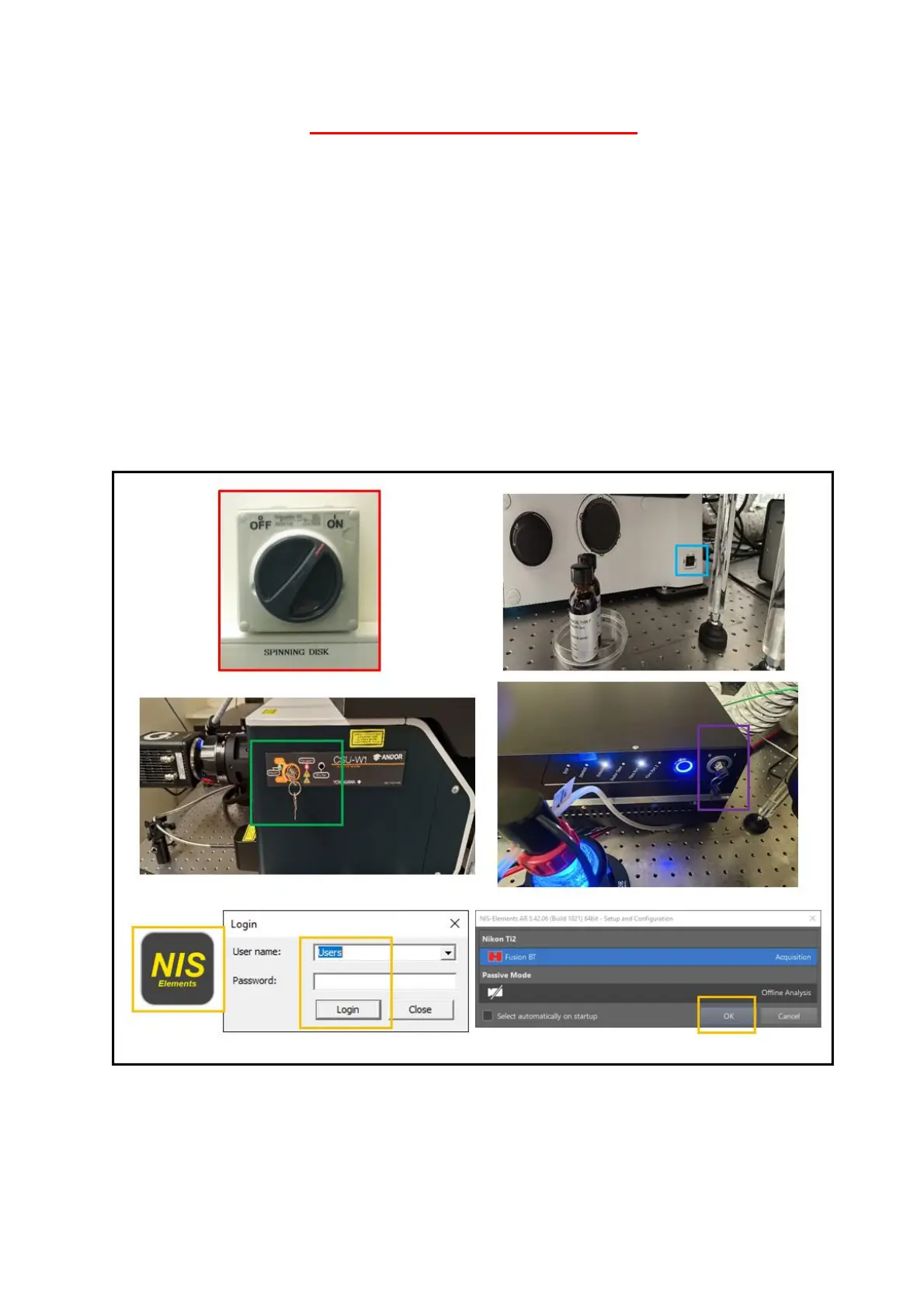
SWITCH ON THE SPINNING DISK
1- The main switch on the wall must remain in the « on » position
2- Switch on the frame of the microscope. This switch is located on the right of the
microscope
3- Turn the key of spinning disk CSU-W1
4- Turn the key of the laser
5- Once you turn on the computer, start the "NIS Elements" software, choose the user
session and click on « login ». Then choose the acquisition mode and click on « ok »



 To Next Page