VBA10501-R.3657.A
- D6 ・ -
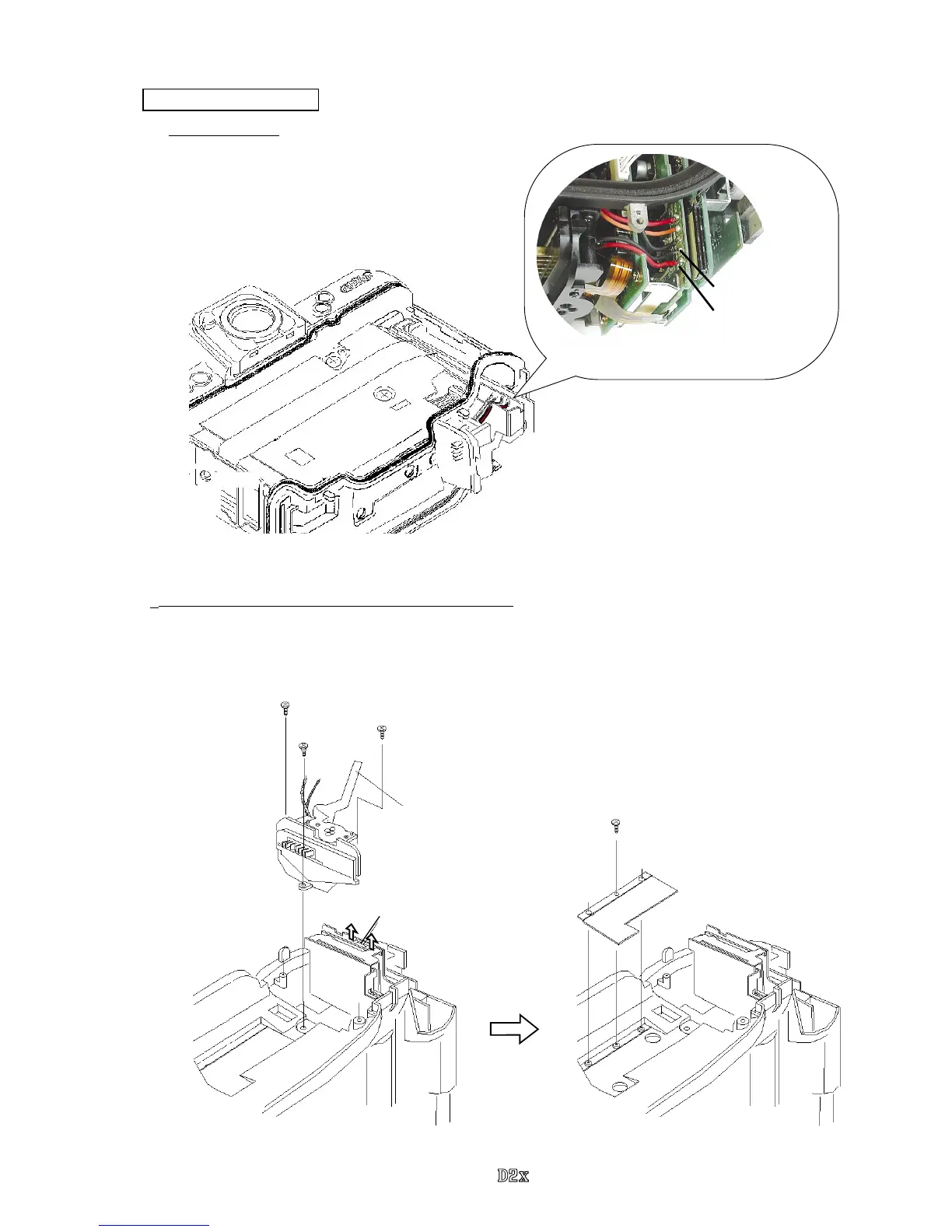
Battery contacts unit
1. Remove wires
・
Remove the red and black wires that connect from
the battery contacts.
Black : Battery contact
Red : Battery contact
2. Remove Battery contacts and Battery case upper unit
・
Remove the battery contacts connection-FPC from the connector.
・
Take out 2 screws (#1515) and 1 screw (#812) and detach the battery contact unit (#B801).
・
Take out 1 screw (#1520) and remove the battery case upper unit (#B823), (which is attached by the
both-sided adhesive tape).
#1515×2
#812
#1520
#B801
#B823
Connector
Battery contacts connection FPC



 To Previous Page