105
I
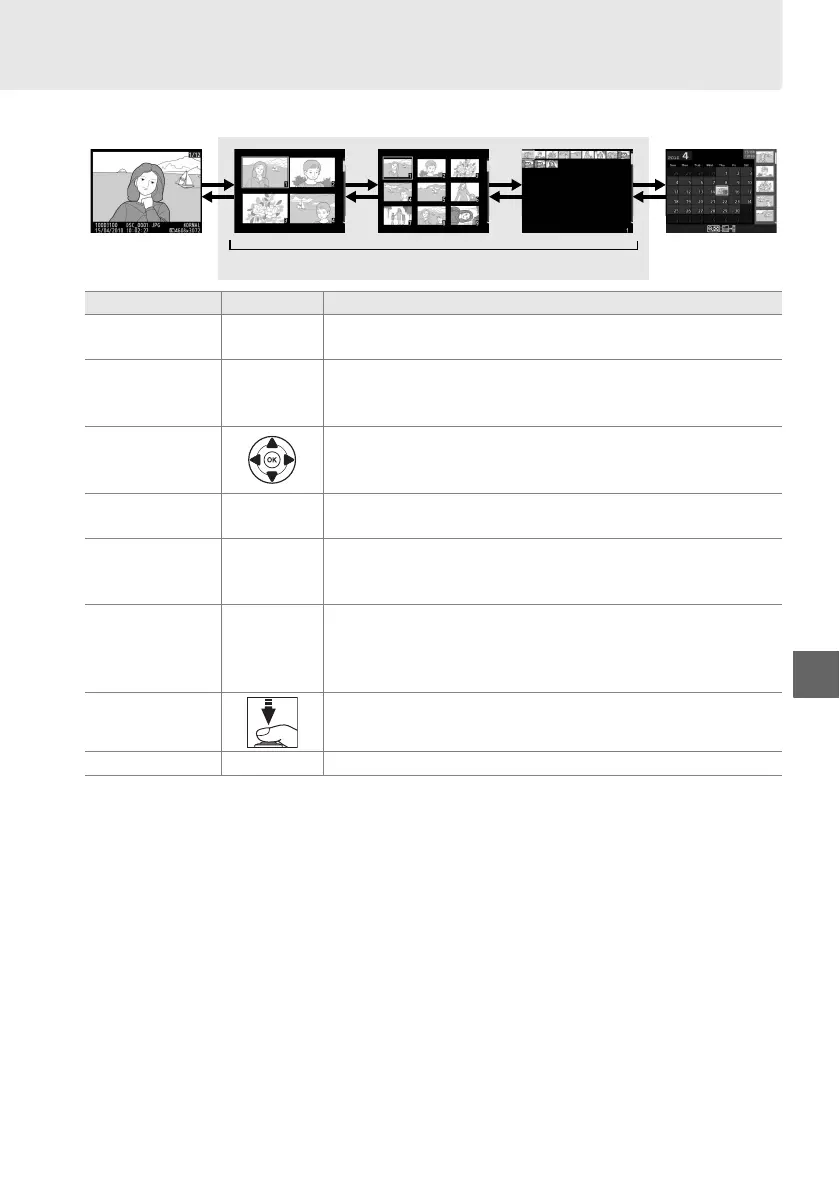
Thumbnail Playback
To display images in “contact sheets” of four, nine, or 72 images, press the W button.
Full-frame
playback
Calendar
playback
Thumbnail playback
To Use Description
Display more
images
W Press W button to increase the number of images displayed.
Display fewer
images
X
Press X button to reduce the number of images displayed.
When four images are displayed, press to view highlighted
image full frame.
Highlight images
Use multi selector or command dial to highlight images for
full-frame playback, playback zoom (0 107), deletion
(0 109), or protection (0 108).
View highlighted
image
J Press J to display the highlighted image full frame.
Delete
highlighted
photo
O See page 109 for more information.
Change protect
status of
highlighted
photo
L (A) See page 108 for more information.
Return to
shooting mode
Press shutter-release button halfway.
Monitor will turn off;
photographs can be taken immediately.
Display menus G See page 129 for more information.
W W W W
X X X X



 To Next Page
 Loading...












