130
o
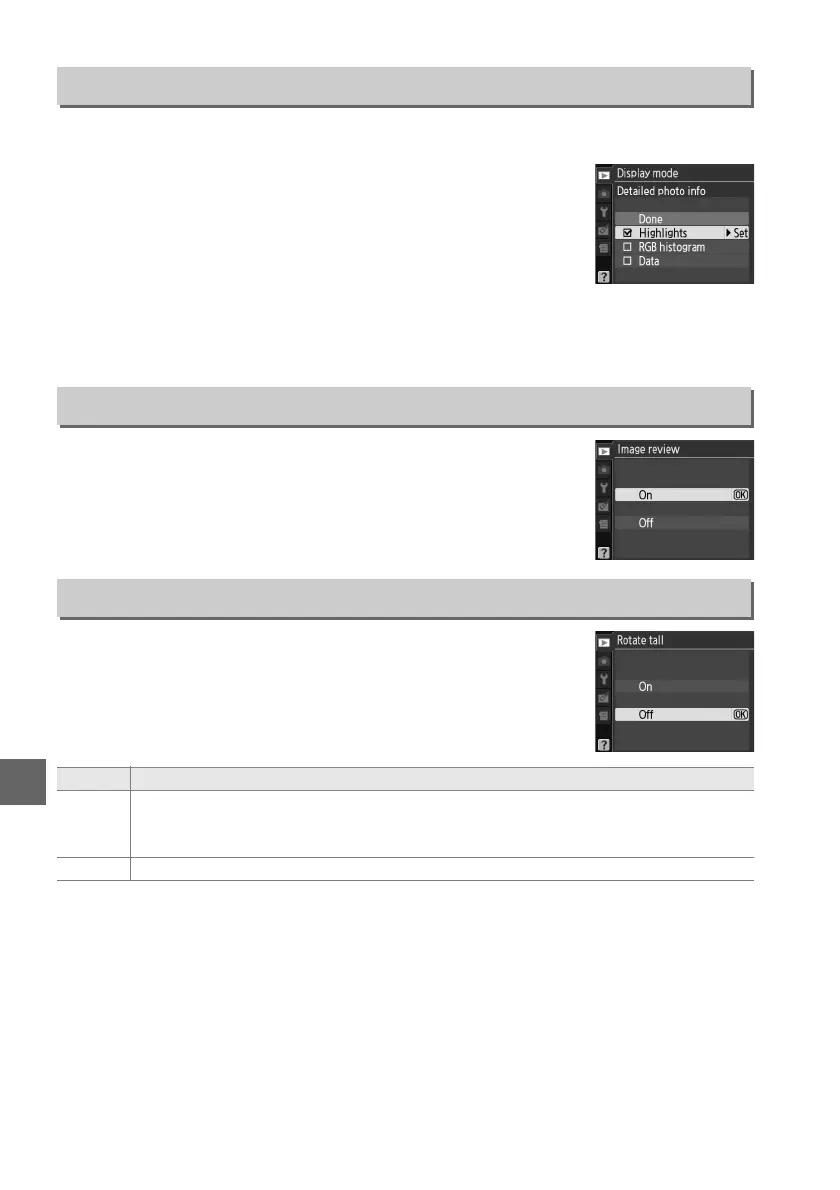
Choose the information available in the playback photo information display (0 100)
and the transition between frames during playback.
• Transition effects: Choose from Slide in (each frame is pushed out of the display by
the following frame), Zoom/fade (frames fade into one another with a zoom
effect), and None (no transition between frames).
Choose whether pictures are automatically displayed in the
monitor immediately after shooting.
If Off is selected, pictures
can only be displayed by pressing the K button.
Choose whether to rotate “tall” (portrait-orientation) pictures
for display during playback.
Note that because the camera itself
is already in the appropriate orientation during shooting,
images are not rotated automatically during image review.
Display Mode
G button ➜ D playback menu
• Detailed photo info: Press 1 or 3 to highlight an option, then
press 2 to select the option for the photo information
display.
A M appears next to selected items; to deselect,
highlight and press 2.
To return to the playback menu,
highlight Done and press J.
Image Review
G button ➜ D playback menu
Rotate Tall
G button ➜ D playback menu
Option Description
On
“Tall” (portrait-orientation) pictures are automatically rotated for display in the
camera monitor.
Pictures taken with Off selected for Auto image rotation (0 141)
will be displayed in “wide” (landscape) orientation.
Off “Tall” (portrait-orientation) pictures are displayed in “wide” (landscape) orientation.



 To Next Page
 Loading...












