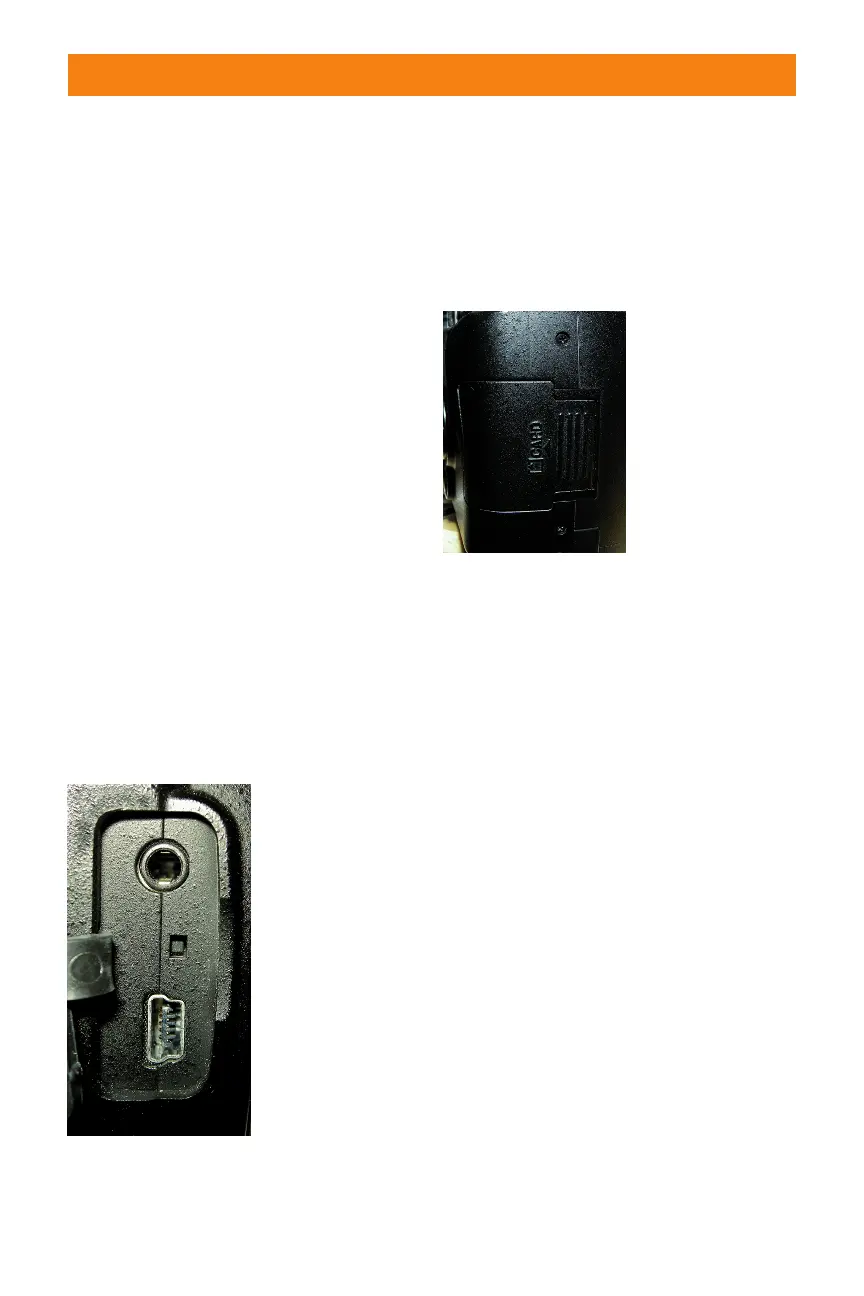
Right side
On the right side of the camera (with the
lens facing you), are the D60’s output ter-
minals. These are used to connect your
camera to a computer or to an external
source for viewing your images directly from
the camera. These terminals are hidden
under a plastic cover that helps keep out
dust and moisture.
✦ Video out. This connection, offi-
cially called Standard video output,
is used to connect the camera to a
standard TV or VCR for viewing
your images on-screen. The D60 is
connected with the EG-D100 video
cable that is supplied with the
camera.
✦ USB port. This is where the USB
cable plugs in to attach the camera
to your computer to transfer
images straight from the camera.
The USB cable is also used to con-
nect the camera to the computer
when using Nikon’s optional
Camera Control Pro 2 software.
Left side
On the left side of the camera (lens facing
you) is the memory card slot cover. Sliding
this door toward the back of the camera
opens it so you can insert or remove your
memory card.
Bottom
The bottom of the camera has a couple of
features that are quite important.
✦ Battery chamber cover. This cov-
ers the chamber that holds the EN-
EL9 battery that is supplied with
your D60.
✦ Tripod socket. This is where you
attach a tripod or monopod to
help steady your camera.
Viewfinder Display
When looking through the viewfinder not
only do you see the image you are com-
posing, but there is also a lot of useful
information about the photo you are set-
ting up. Here is a complete list of all the
information you can get from the
viewfinder display.
Chapter 1 ✦ Exploring the Nikon D60 19
1.5 The D60’s output
terminals
1.6 Memory card slot
cover
06_383124 ch01.qxp 6/4/08 10:05 AM Page 19



 To Next Page