4
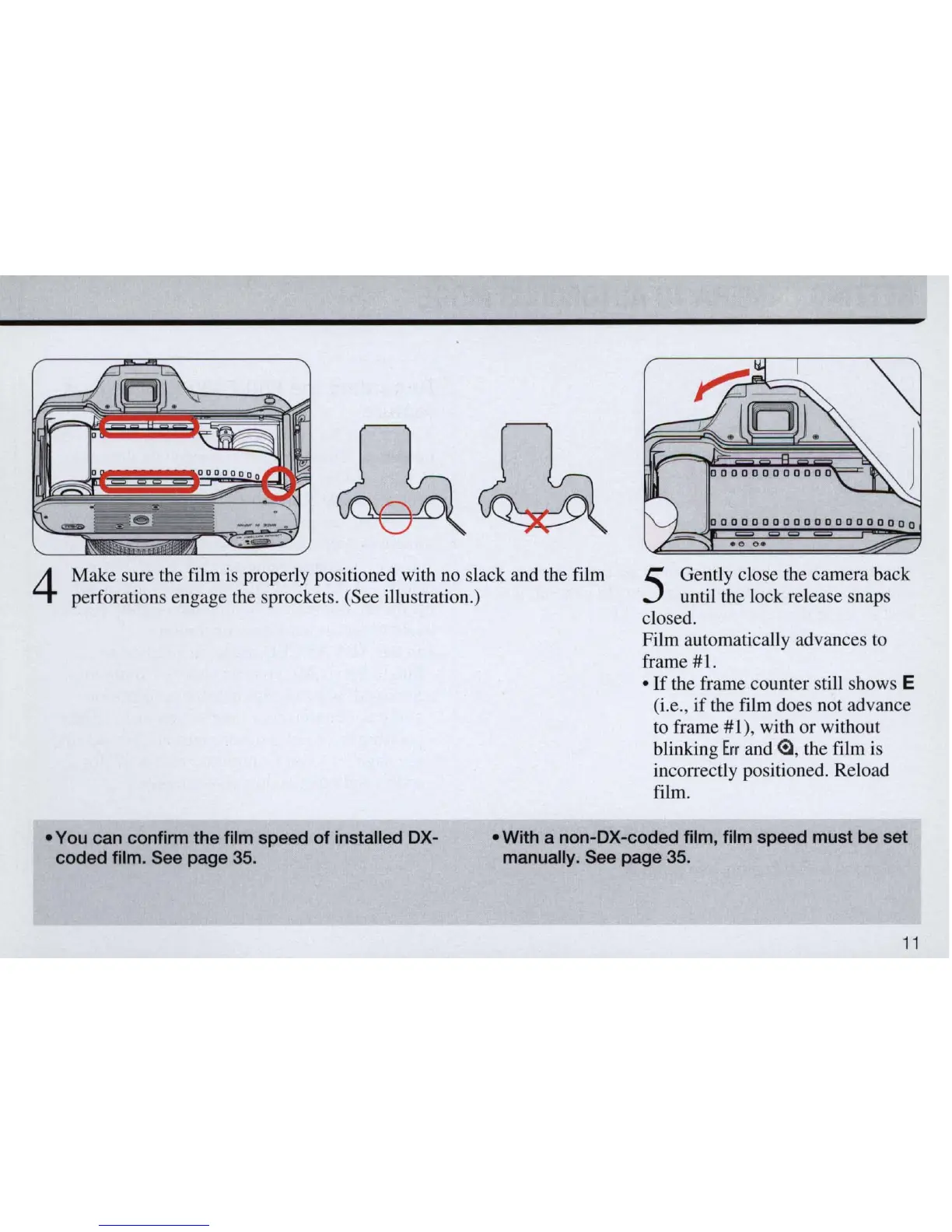
Make sure the film
is
properly positioned with no slack and the film
perforations engage the sprocket
s.
(See illustration.)
5
Gently close the camera back
until the lock release snaps
close
d.
Film automatically advances to
frame
#l.
•
If
the frame counter still shows E
(i.e., if the film does not advance
to frame
#1
), with or without
blinking
Err
and
e, the film is
incorrectly positioned. Reload
film.
• You can confinn the film speed
of
installed OX-
coded film. See page 35.
• With a non-OX-coded film, film speed must be set
manually. See page 35.
11



 To Next Page