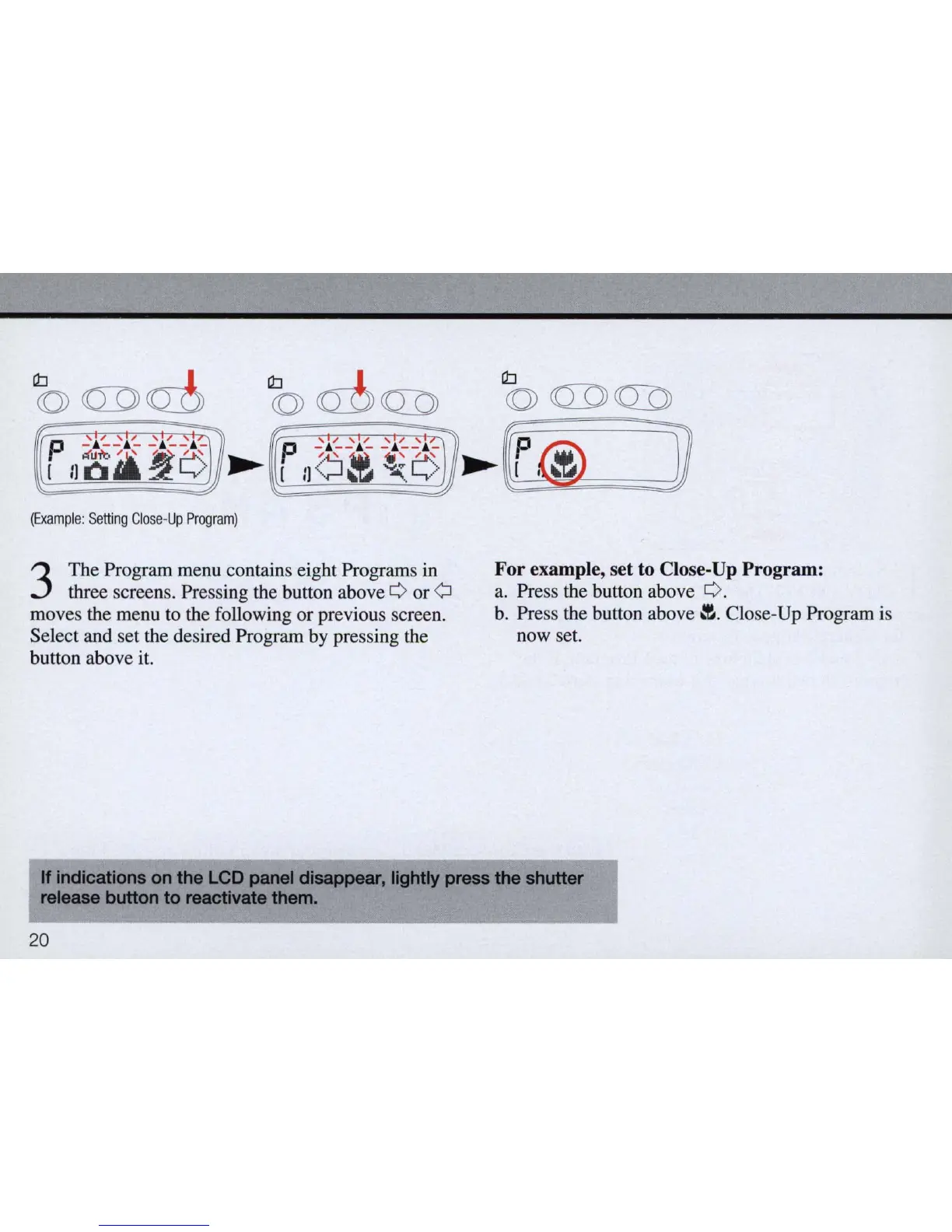
(Example:
Setting
Clo
se-
Up
Program)
3
The Program menu contains eight Programs
in
three screens. Pressing the button above 0 or Q
moves the menu to the following or previous screen.
Select and set the desired Program by pressing the
button above
it.
Cb
<Q)
QDQ])
~
~
@
]
For example, set to Close-Up Program:
a. Press the button above O.
b.
Press the button
above~.
Close-Up Program is
now set.
If
indications
on
the
LCD
panel
disappear,
lightly
press
the
shutter
release
button
to
reactivate
them.
20



 To Next Page