EasyManua.ls Logo

Nikon MB-D14 - Battery Pack Attachment and Removal; Attaching the MB-D14 to Camera; Detaching the MB-D14 from Camera

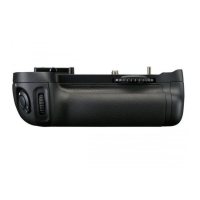
Nikon MB-D14
17 pages
Print Icon
To Next Page IconTo Next Page
To Previous Page IconTo Previous Page
Loading...
m
Using
the
Battery
Pack
·
Atta~ing~eBatte~~P~~~k~~~~~~~~~~~~~~~~~~~~~
Before attaching
the
battery pack, be sure
that
the
camera
is
off
and
that
the
MB-014
control lock
(Figure
A-@)
is
in
the
L position (the
illustrations
show
the
0600).
1
Remove
the
contact cap (Figure
A
-CD
)
from
the
battery pack.
2 The contacts for the
MB-014
are in
the
base
of
the
camera, where
they
are
pro-
tected
by
a contact cover. Remove
the
contact cover
as
shown
in
Figure
B-0
and
place
it
in
the
contact cover
holder
on
the
MB-014
(Figure
B-8).
3
Position
the
MB-014, keeping
the
MB-014
mounting
screw (Figure
C-8)
aligned
with
the
camera tripod socket (Figure
C-0)
and
tighten
the
attachment
wheel
by
rotating it
in
the
direction shown by
the
LOCK
arrow (Figure
D).
There
is
no
need
to
remove
the
battery from
the
camera before connecting
the
MB-014.
At
default
settings, the battery inserted
in
the
camera
will
be used
only after
the
battery
in
the
MB-014
is
exhausted. The
Battery order
option
in
the
camera
Custom
Settings
menu (Group d) can be used
to
change
the
order
in
which
the
batteries
are
used.
6
Be
sure
to
place
the camera contact cover
in
the
contact cover
holder
and
to
keep
the
MB-014
contact cap in a
safe
place
to
prevent
loss.
A
PB-60
and
PK-13
auto-extension ring are required
when
using
PB-6
bellows
fo-
cusing
attachment
with
the
MB-014.
Removing
the
BatterY.
.....
P~ac=k~~~~~~
To
remove
the
MB-014,
turn
the cam-
era
off
and set
the
control lock
on
the
MB-014
to
L,
then
loosen
the
attachment
wheel
and remove
the
MB-014.
Be
sure
to
replace
the
contact
cover on
the
cam-
era
and
the
contact
cap on
the
MB
-
014
when
the
battery pack
is
not
in
use.

Related product manuals