10
Jp
Es
It
Fr
De
En
Sv
Ru
Pl
Fi
Cz
Ro
Hu
Nl
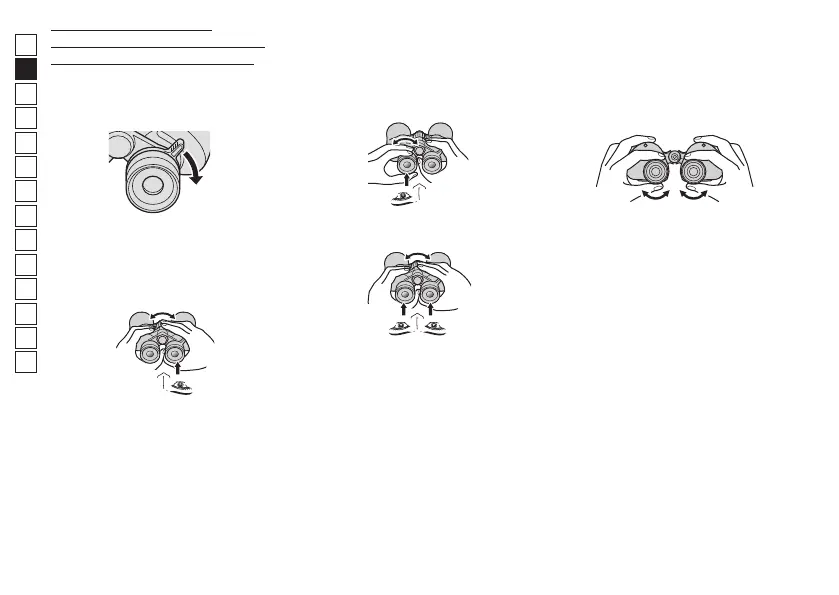
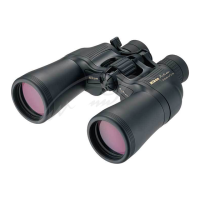
Binoculars with the diopter
adjustment ring on the left eyepiece
(some models of zoom binoculars).
1 Set the zoom lever at the
maximum magnification
position.
2
Rotate the focusing ring until
you obtain a sharp image of your
subject through the right
eyepiece with your right eye.
3
Rotate the diopter adjustment
ring of the left eyepiece until you
obtain a sharp image of the
same subject through the left
eyepiece with your left eye.
4 Check focusing on both eyes.
When you view a different subject,
adjust the focusing ring until you
obtain a sharp image.
nIF: Individual focusing binoculars
For individual focusing binoculars,
diopter adjustment is basically
unnecessary.
1 Focus right and left eyes
separately.
Focus the right and left eyes one by
one when you change the subject.
Note: For zoom binoculars
When viewing the subject at a
different magnification, first
correctly adjust focusing at a higher
magnification. This minimizes
blurring, which may occur when
you change magnification.
* If you adjust the focus at a low
magnification, there is more blurring
when you change to a high
magnification.




 To Next Page