EasyManua.ls Logo

Nikon One-touch - User Manual

Nikon One-touch
2 pages
Print Icon
To Next Page IconTo Next Page
Loading...
Question and Answer IconNeed help?

Do you have a question about the Nikon One-touch and is the answer not in the manual?

Summary

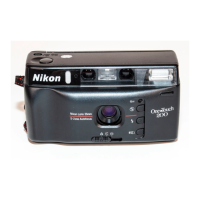
Nikon One-Touch Camera Nomenclature

Camera Body Parts Overview

Identifies key external components of the camera, including lens, shutter button, flash, and viewfinder.

Film and Battery Compartment Details

Details the film cartridge chamber, battery chamber lid, and film advance mechanism.

Camera Setup and Film Loading

Installing the Battery

Instructions for inserting the lithium battery pack correctly into the camera's battery chamber.

Checking Camera Power

Procedure to verify sufficient battery power by lightly pressing the shutter release button.

Loading Film Cartridge

Step-by-step guide for inserting and advancing film, ensuring proper alignment and tension.

Shooting with the Nikon One-Touch

Basic Shooting Procedure

How to aim, focus using the viewfinder, and take a picture with the shutter release button.

Smart Flash Operation

Explains how the built-in flash fires automatically in low light conditions.

Self-Timer Function

Details on using the self-timer for delayed shots and its indicator lamp.

Film Rewinding

Procedure for automatic film rewinding at the end of the roll or manual rewind mid-roll.

Advanced Features and Care

Focus Lock Technique

How to use focus lock for precise focusing, especially at close distances.

Smart Flash Shooting

Guidance on using the flash for optimal results, including flash dimmer for close-ups.

Auto Backlight Compensation

Explanation of how the camera adjusts exposure for subjects against bright backgrounds.

Camera Care and Accessories

Tips for maintaining the camera and information on attaching straps and using accessories.

Summary

Nikon One-Touch Camera Nomenclature

Camera Body Parts Overview

Identifies key external components of the camera, including lens, shutter button, flash, and viewfinder.

Film and Battery Compartment Details

Details the film cartridge chamber, battery chamber lid, and film advance mechanism.

Camera Setup and Film Loading

Installing the Battery

Instructions for inserting the lithium battery pack correctly into the camera's battery chamber.

Checking Camera Power

Procedure to verify sufficient battery power by lightly pressing the shutter release button.

Loading Film Cartridge

Step-by-step guide for inserting and advancing film, ensuring proper alignment and tension.

Shooting with the Nikon One-Touch

Basic Shooting Procedure

How to aim, focus using the viewfinder, and take a picture with the shutter release button.

Smart Flash Operation

Explains how the built-in flash fires automatically in low light conditions.

Self-Timer Function

Details on using the self-timer for delayed shots and its indicator lamp.

Film Rewinding

Procedure for automatic film rewinding at the end of the roll or manual rewind mid-roll.

Advanced Features and Care

Focus Lock Technique

How to use focus lock for precise focusing, especially at close distances.

Smart Flash Shooting

Guidance on using the flash for optimal results, including flash dimmer for close-ups.

Auto Backlight Compensation

Explanation of how the camera adjusts exposure for subjects against bright backgrounds.

Camera Care and Accessories

Tips for maintaining the camera and information on attaching straps and using accessories.

Nikon One-touch Specifications

General IconGeneral
Film AdvanceAutomatic
Power Source2 x AA batteries
Film Format35mm
TypePoint & Shoot
FlashBuilt-in

Related product manuals